Customizing Trustoo Email Request Templates in Klaviyo
Prerequisites
Note: Before beginning, you must integrate Trustoo with Klaviyo.
Step-by-Step Guide
1. Select Email Template
Choose or create an email template in Klaviyo.
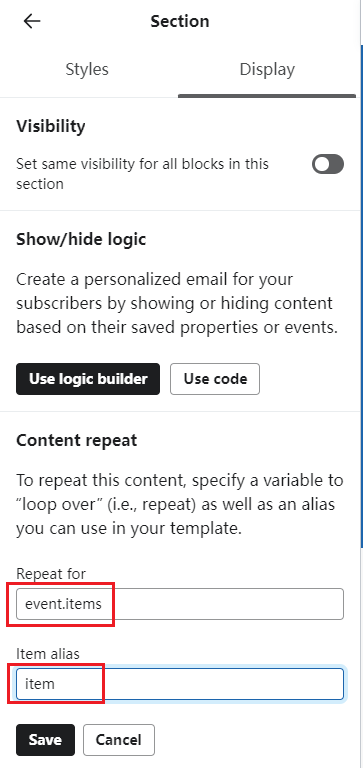
2. Set Content Repetition
Configure where content will be repeated in the email template:
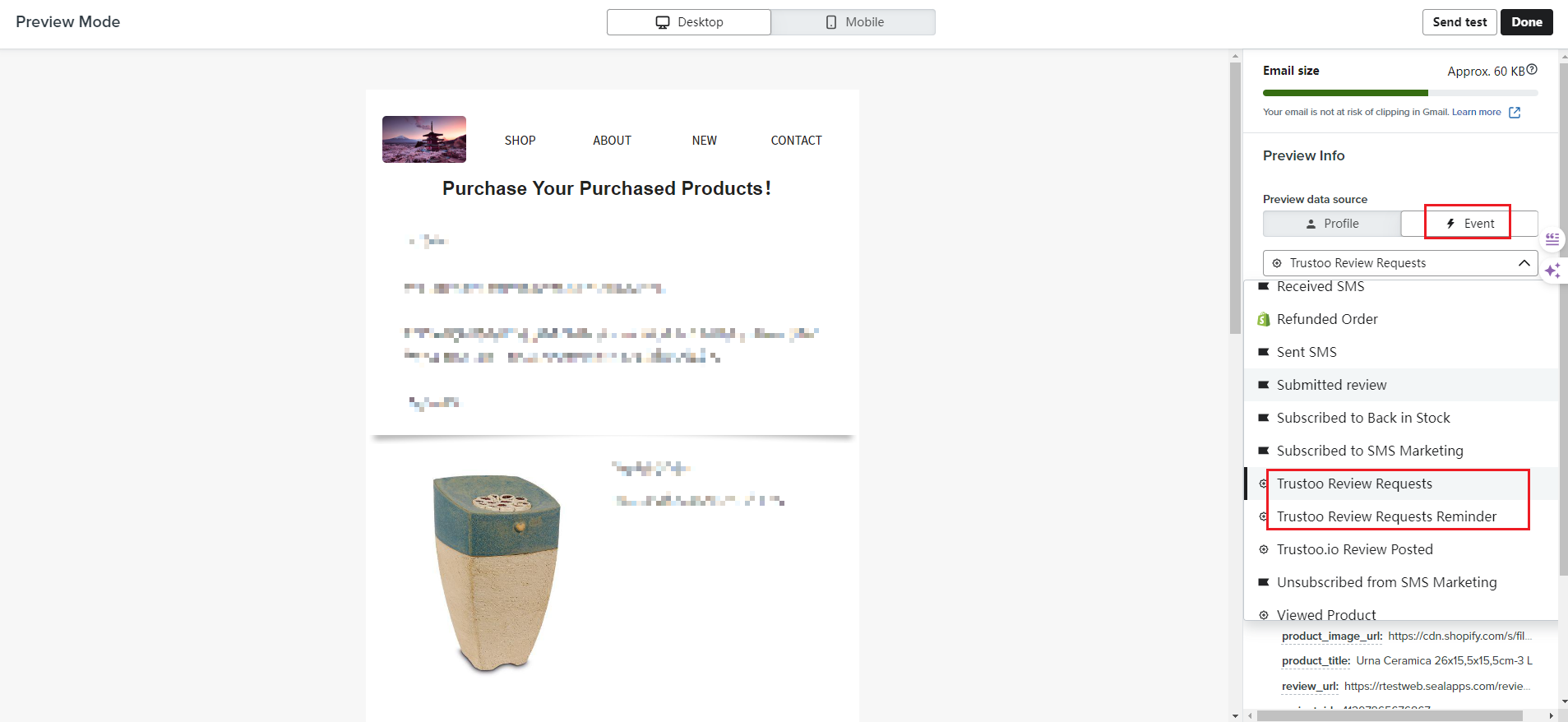
3. Select Trustoo Review Requests Event
- Find the Trustoo Review Requests event
- Locate required variable information
- Click to Copy
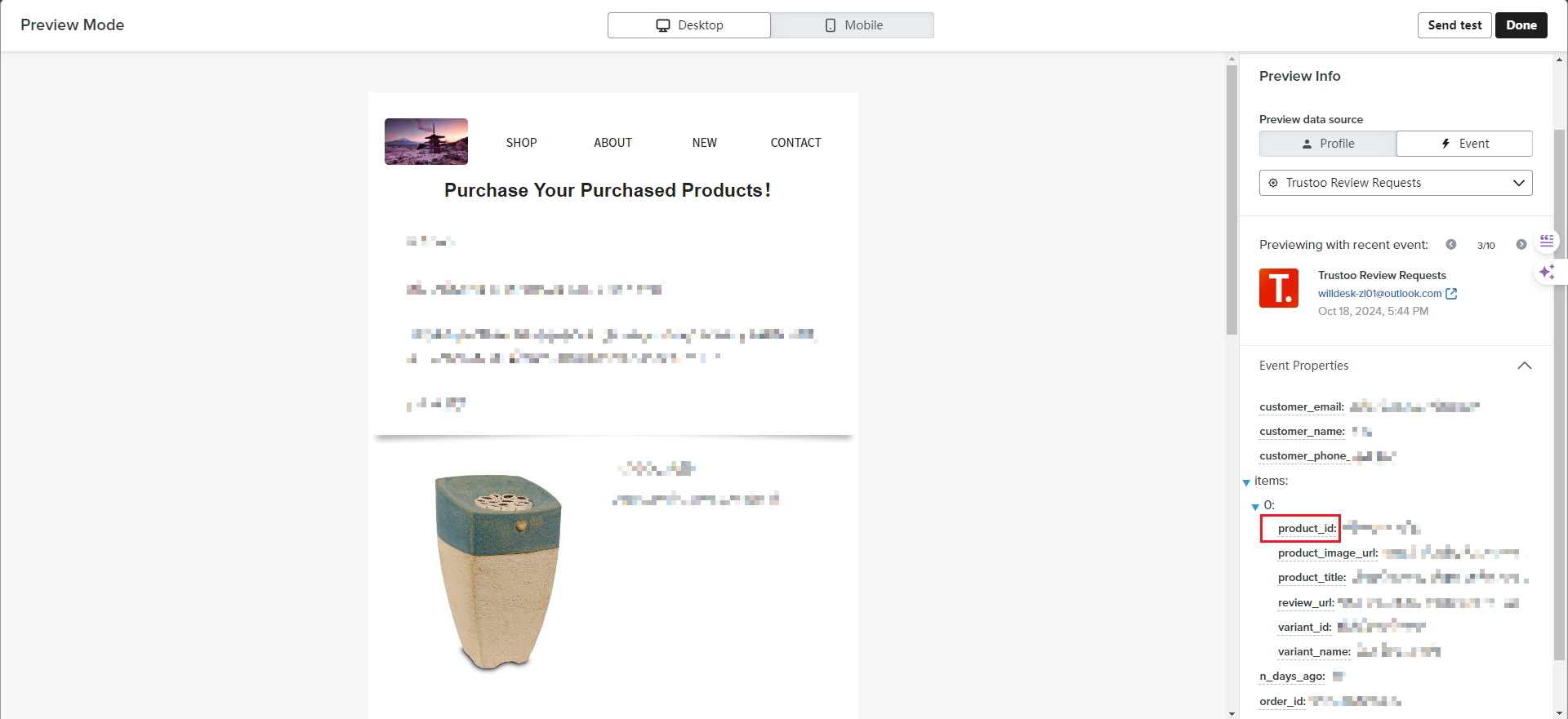
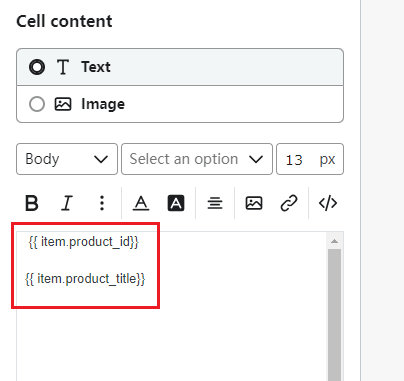
4. Display Product Information
Insert purchased product details in the email:
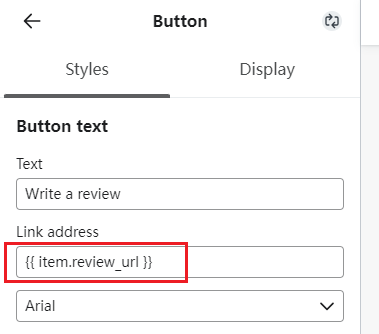
5. Add Review Button
Create a button that redirects to the product review link:
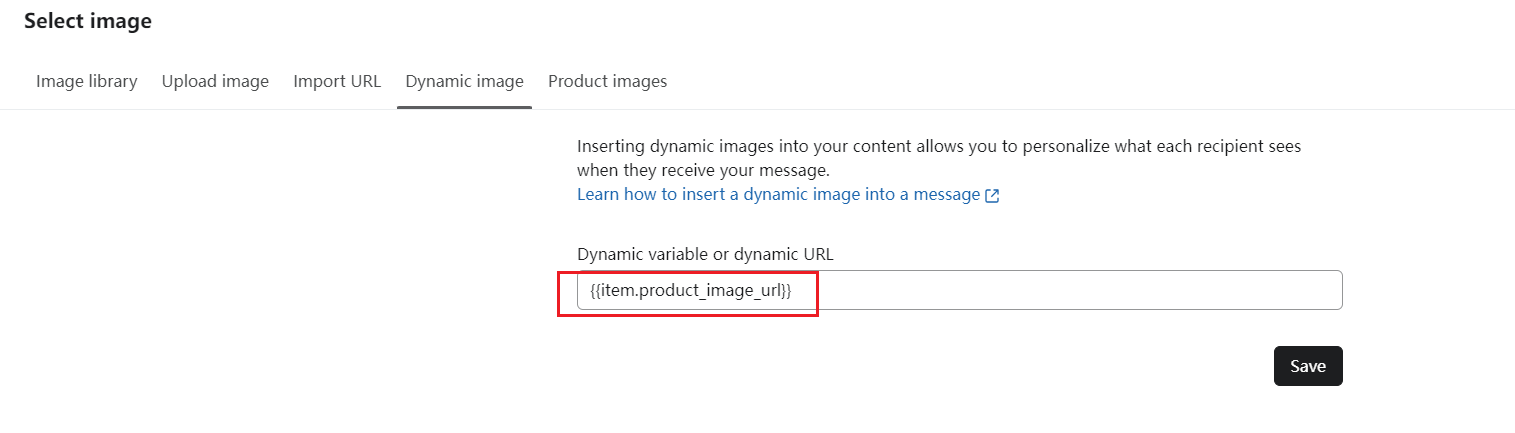
6. Use Dynamic Images
Configure dynamic images in the email template:
7. Final Template Configuration
Use these variables to personalize your email template:
Single Variables
| Property name | Template tag | Example |
|---|---|---|
| customer_email | {{ event.customer_email }} | [email protected] |
| customer_name | {{ event.customer_name }} | test |
| customer_phone_number | {{ event.customer_phone_number }} | 17896356632 |
| n_days_ago | {{ event.n_days_ago }} | 15 |
| order_id | {{ event.order_id }} | 5755398520899 |
| shop_name | {{ event.shop_name }} | thekk |
| shop_url | {{ event.shop_url }} | https://thekk.myshopify.com |
Array Variables
| Property name | Template tag | Example |
|---|---|---|
| product_id | {{ event.items.0.product_id }} | 7153071140531 |
| product_image_url | {{ event.items.0.product_image_url }} | https://cdn.shopify.com/s/files/1/0592/7763/9747/files/3614220904740_0_P0.jpg?v=1721876139 |
| product_title | {{ event.items.0.product_title }} | Urna Cachorros |
| review_url | {{ event.items.0.review_url }} | https://yourstore.com/reviews/write_reviews?token= |
| variant_id | {{ event.items.0.variant_id }} | 41297864596523 |
| variant_name | {{ event.items.0.variant_name }} | Dachshund |
Best Practices
- Carefully select and test variables
- Ensure all product information is correctly displayed
- Create an intuitive and visually appealing review request email
- Test the email template thoroughly before sending
Troubleshooting
- Verify Trustoo and Klaviyo integration
- Check that all variables are correctly mapped
- Ensure review links are functioning
- Test email rendering across different devices
Support
If you encounter any issues during setup, contact Trustoo or Klaviyo support.