Integrate Reviews with Google Shopping Product Listings

Google's Review Requirements
Google has strict guidelines for integrating reviews into Google Shopping:
- Update reviews monthly and share all reviews with Google
- Maintain at least 50 reviews in your product ratings feed
- Ensure reviews comply with Google's content policies:
- No copyright infringement
- No offensive content
- No spam
- Sync all reviews, including low-rated ones
- Provide high-quality text and image reviews
- Do not publicly display reviewer's personal information
Note: Google manually reviews submissions and may decline integration at its discretion. Read Google's full policy
Understanding Google Shopping
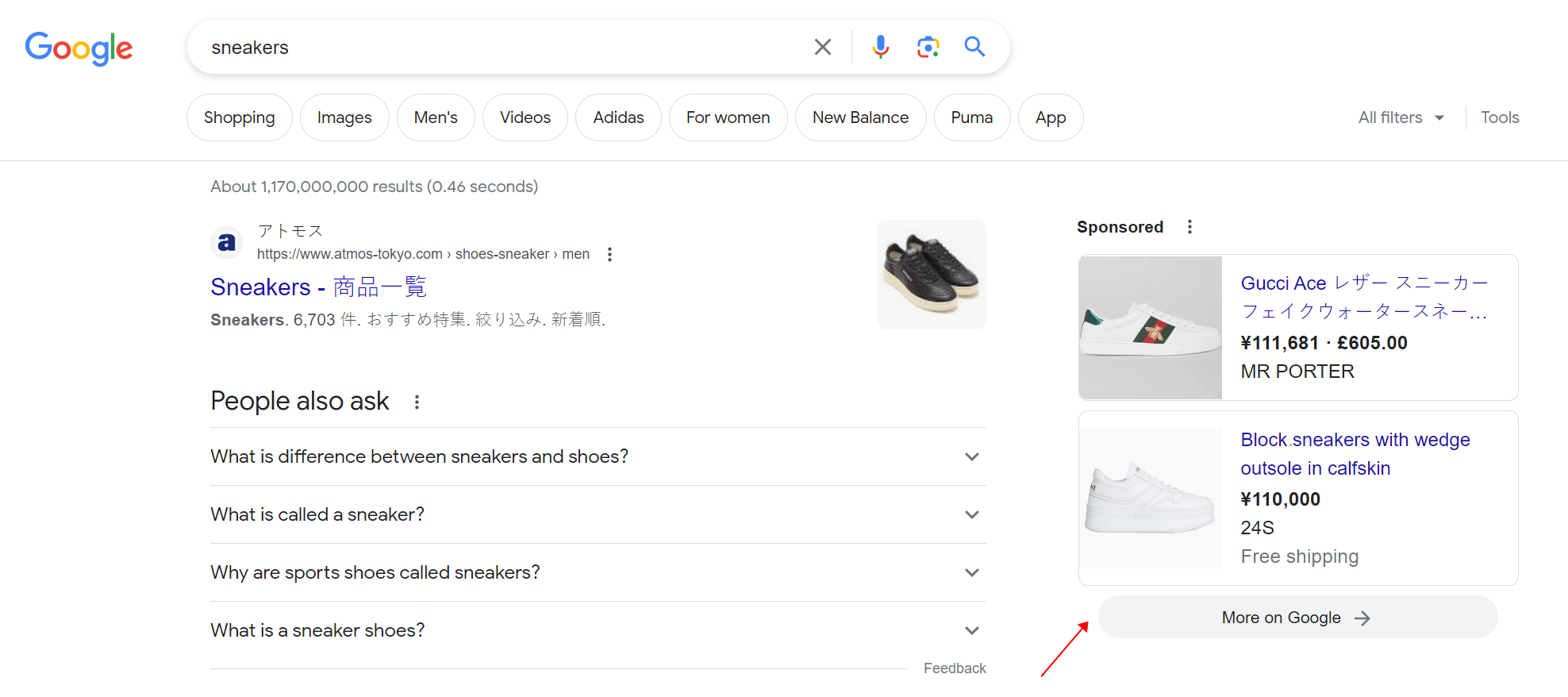
Google Shopping allows merchants to display products more attractively than standard search advertising. Users can browse products from multiple brands simultaneously.
Standard Search Results
Google Shopping Results
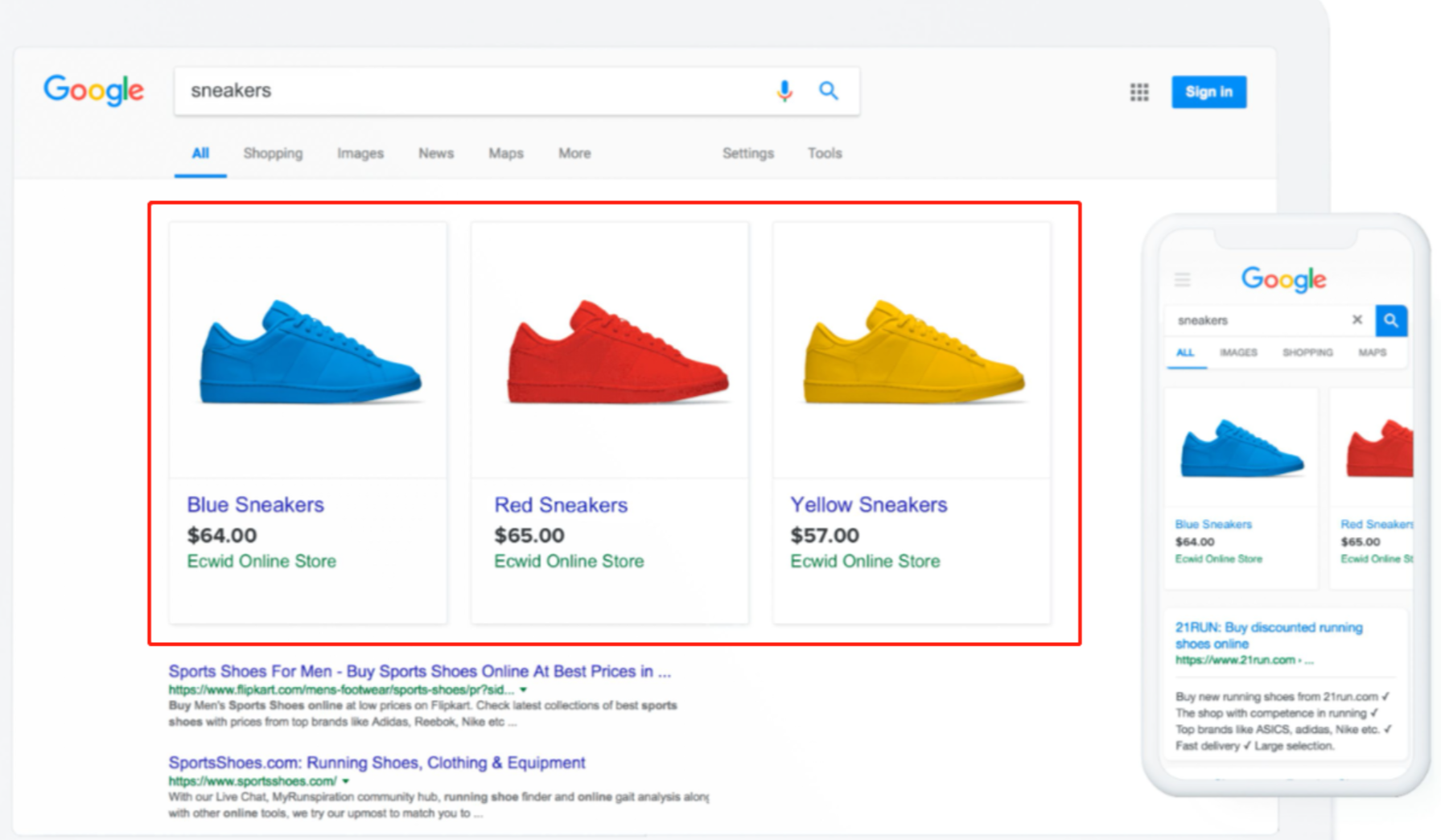
Advantages of Google Shopping
- Highly Attractive Advertising
- Grabs shoppers' attention with relevant product information
- High Conversion Traffic
- Displays key product details before click
- Easy Management
- Automatic ad and keyword selection
- Enhanced Visibility
- Appear alongside text search advertisements
Integration Process
1. Get Google Product Reviews Approval
Step 1: Google Merchant Center
- Sign in or create an account
Step 2: Complete Product Rating Interest Form
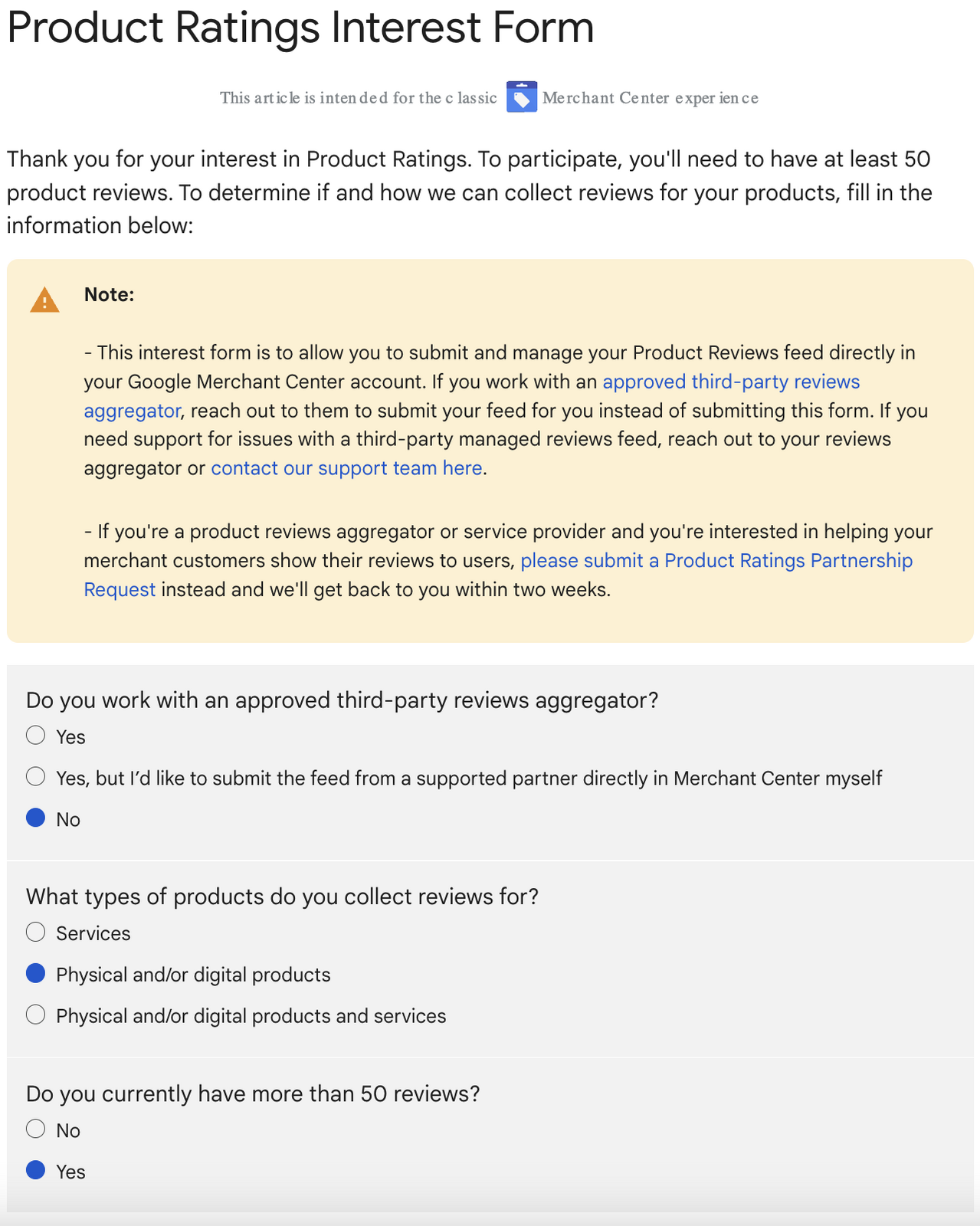
Step 3: Form Details
- Select "No" for third-party review aggregator
- Answer additional questions
- Submit the form
Step 4: Wait for Approval
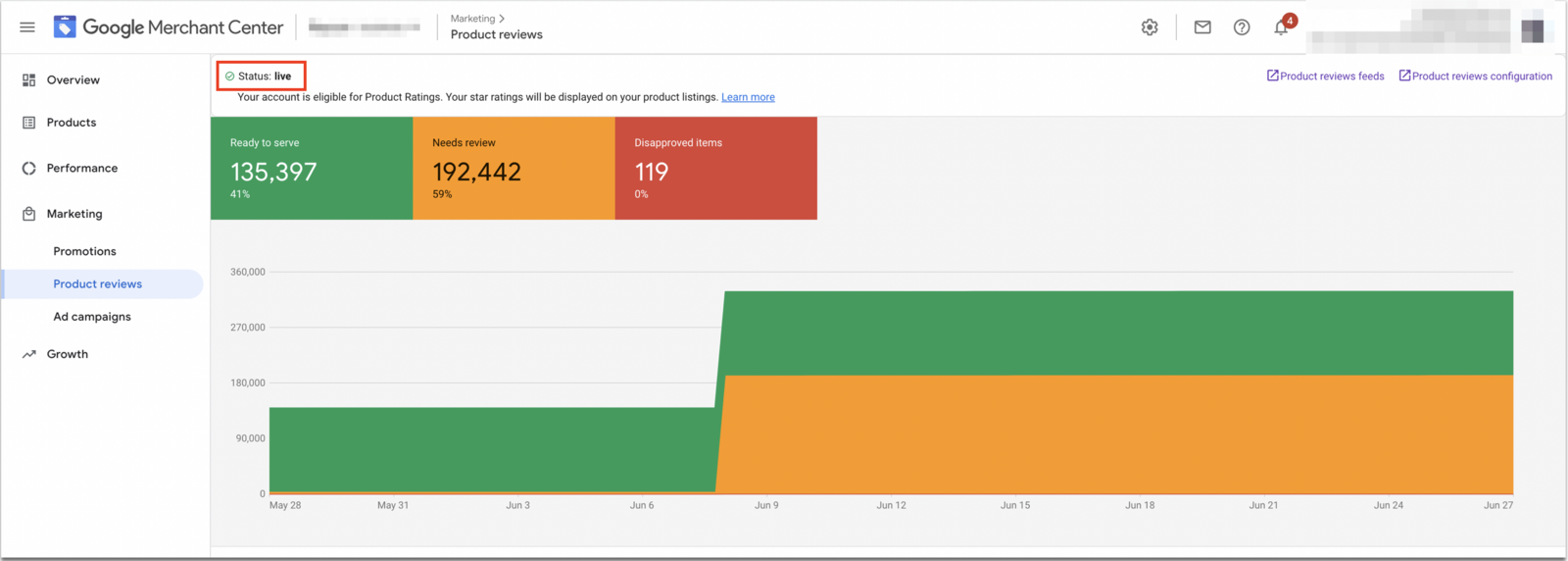
2. Submit Product Information Data Feed
Options for Adding Products
- Manually add items
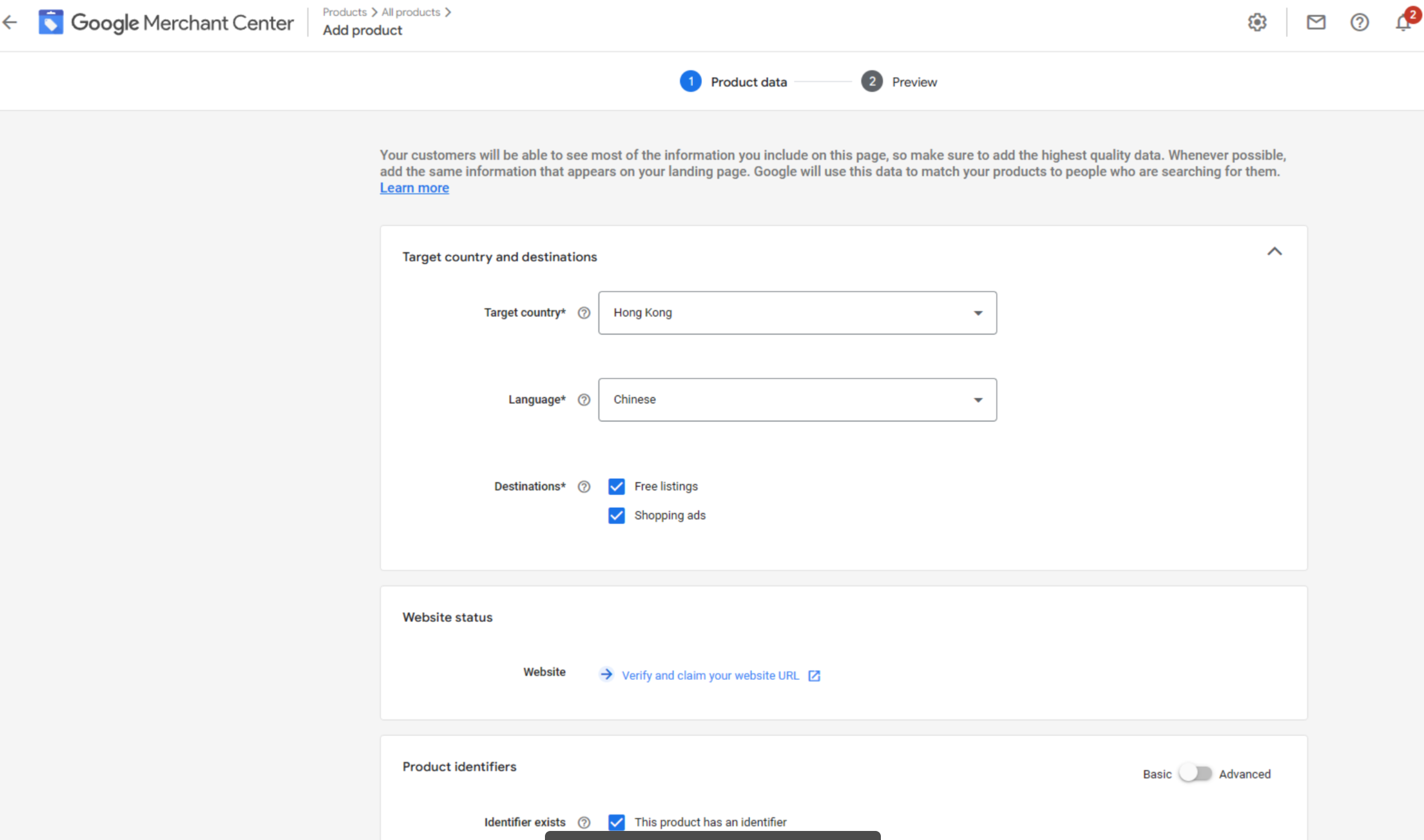
- Upload feed
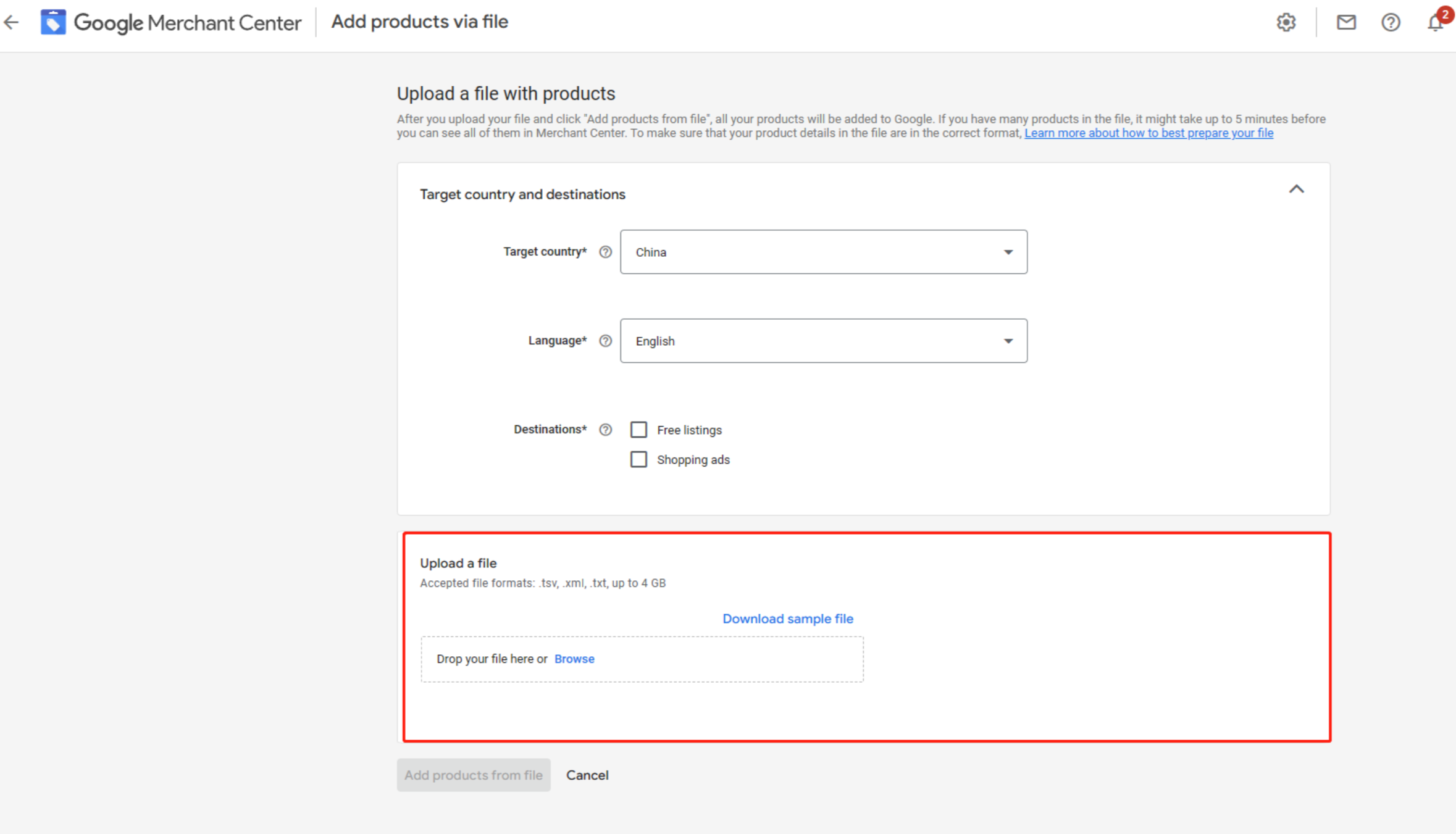
Feed Requirements
- Required attributes: Product ID, Region ID
- Optional attributes: Price, Promotional Price, Inventory Status
- Create one main feed with supplementary feeds
- Wait 10 working days for Google's review
3. Set Up Google Shopping
Product Identification
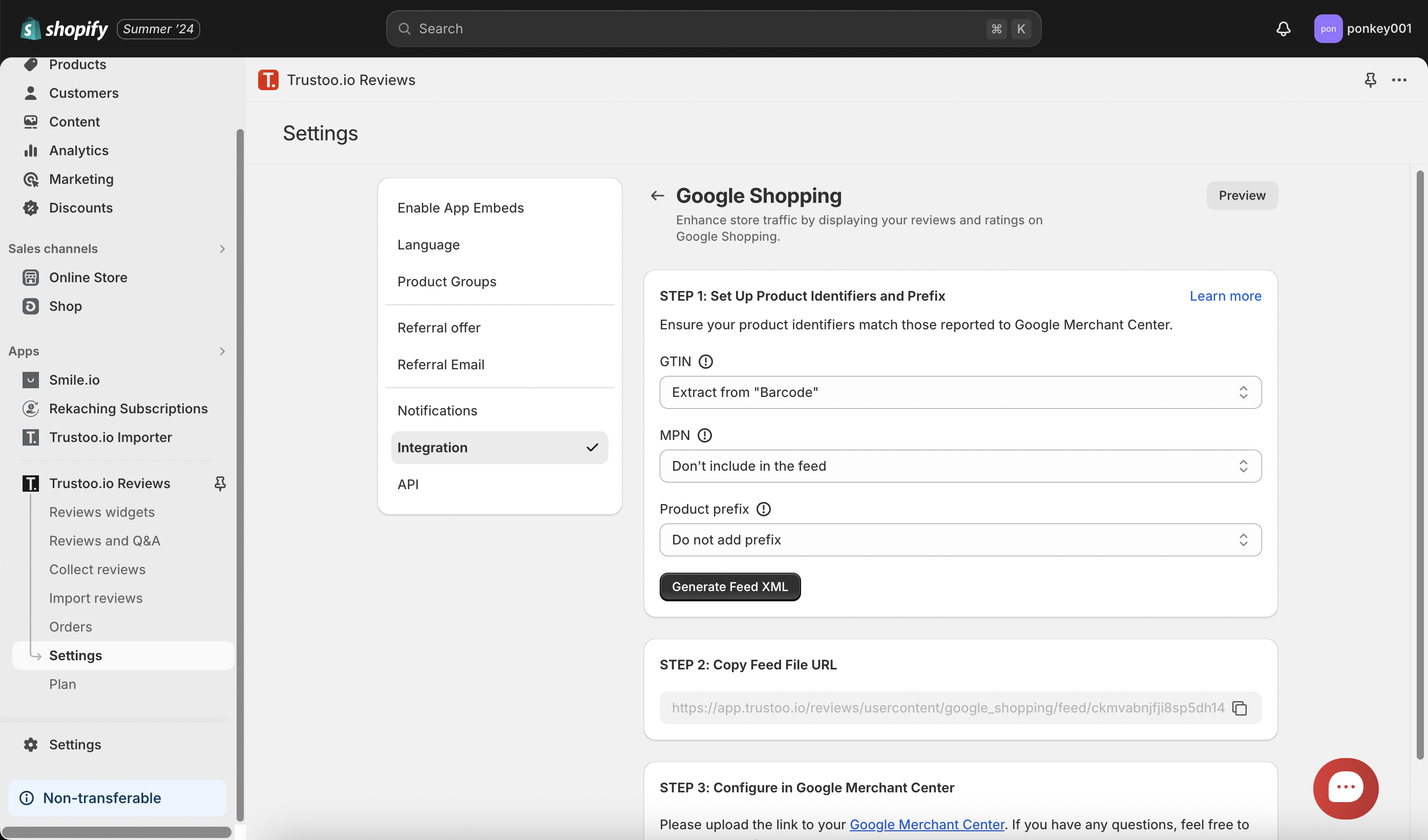
Recommended Identifiers
- GTIN (Global Trade Item Number)
- MPN (Manufacturer Part Number)
- Brand Name
Product Prefix Format
item_ID = shopify_{country code}_{product_ID}_{Variant_ID}
4. Generate XML Feed
- Go to Marketing > Product Reviews
- Click "Product reviews feeds"
- Name your feed
- Choose "Scheduled fetch"
- Select fetch frequency
Final Steps
- Copy XML file link
- Go to Google Merchant Center
- Navigate to Marketing > Product Reviews
- Add feed URL
Important Notes
- Review integration can take 2-4 weeks
- Patience is key during the process
- Contact Google support if no progress after 4 weeks
Support
If you need assistance, contact our chat support team.
Best Practices
- Ensure accurate product identifiers
- Maintain high-quality, diverse reviews
- Regularly update your review feed
- Monitor Google Merchant Center notifications