Parcel Panel and Trustoo Integration Guide
Overview
This integration allows you to automatically trigger Trustoo review request emails when a package is marked as "Delivered" in Parcel Panel. This ensures review requests are sent at the optimal time - right when customers receive their orders.
Setup Instructions
Step 1: Configure Parcel Panel
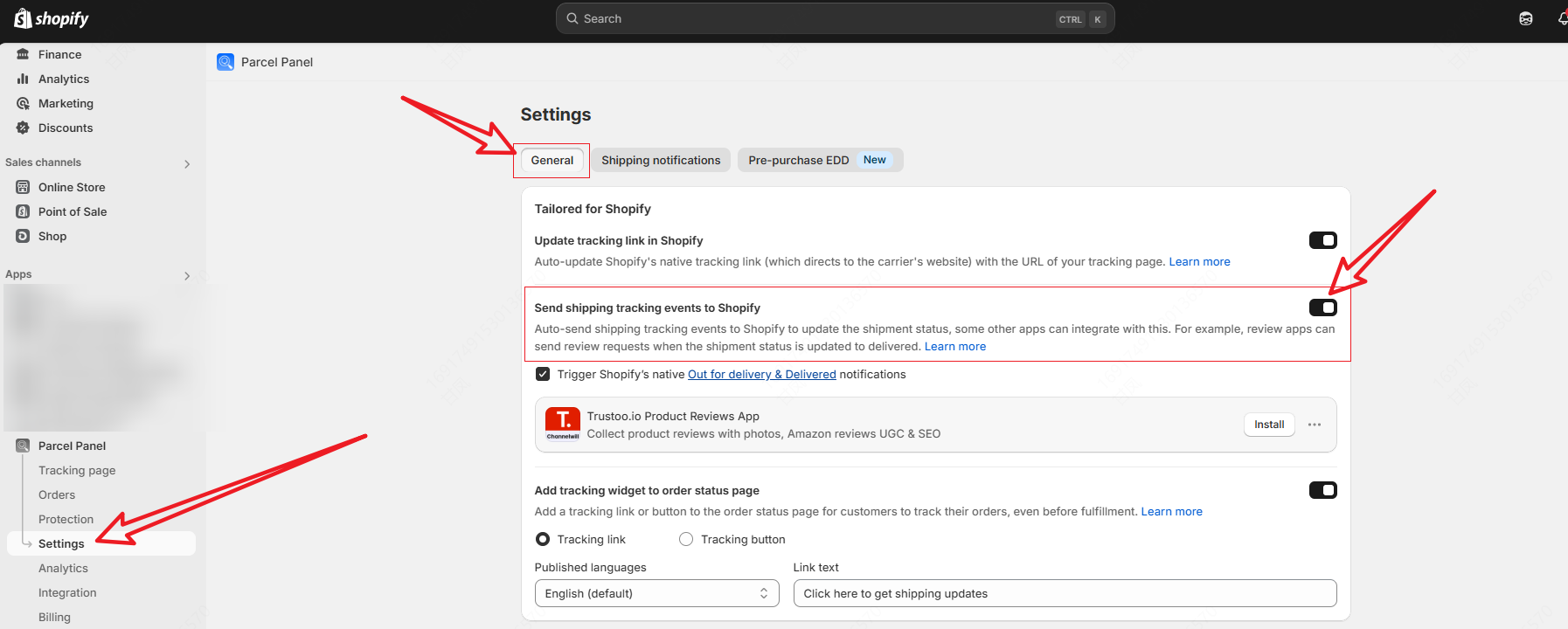
- Navigate to the Parcel Panel app
- Click on "Settings" in the left sidebar
- Select the "General" tab
Enable Shopify Event Notifications
- Locate the option "Send shipping tracking events to Shopify"
- Toggle this option ON
Step 2: Configure Trustoo Settings
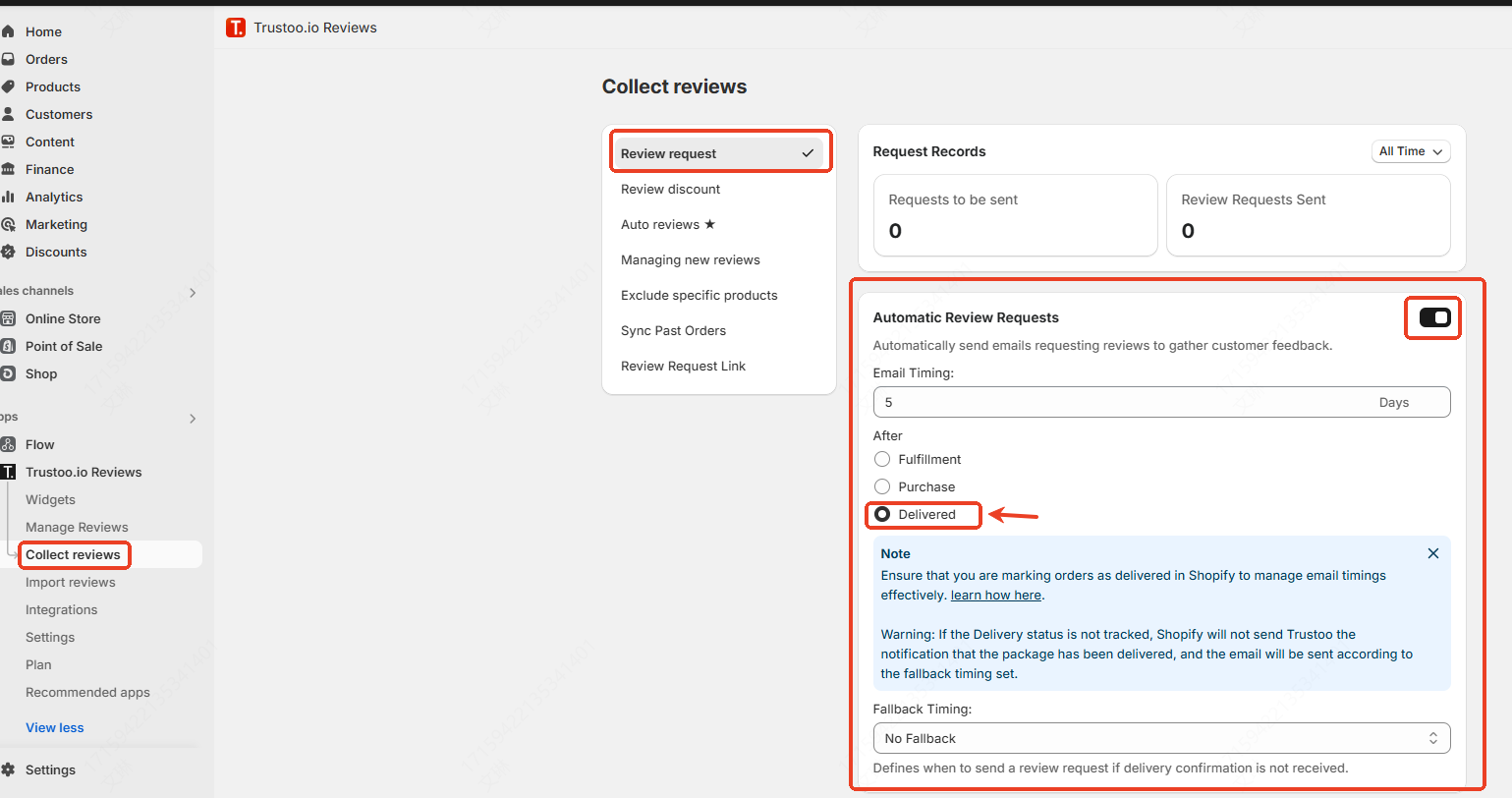
- Log in to your Trustoo dashboard
- Ensure review request settings are set to trigger "After Delivered"
- Set your preferred timing (e.g., 5 days after delivery)
Integration Workflow
- Parcel Panel tracks your shipments and detects package delivery
- Parcel Panel sends delivery event to Shopify
- Trustoo receives the delivery notification from Shopify
- Trustoo automatically schedules a review request email based on your timing settings
Benefits
Key Advantages
- Perfect Timing: Send review requests exactly when customers receive products
- Higher Response Rates: Increase review collection at the most relevant moment
- Fully Automated: No manual intervention needed
- Enhanced Customer Experience: Engage customers at the ideal point in their journey
Troubleshooting
Common Issues
If review request emails aren't being triggered after delivery:
- Verify "Send shipping tracking events to Shopify" is enabled in Parcel Panel
- Ensure Trustoo review request trigger is set to "After Delivered"
- Check that both apps have necessary Shopify store permissions
Best Practices
- Regularly review integration settings
- Monitor review request response rates
- Adjust timing based on customer feedback
- Ensure smooth communication between Parcel Panel and Trustoo
Configuration Tips
- Choose an optimal time delay for review requests
- Consider your product type when setting review request timing
- Test the integration with a few orders to verify functionality
Support
If you need assistance with this integration, please contact our support team for personalized help.
Conclusion
The Parcel Panel integration provides a seamless, automated way to collect valuable customer reviews at the most opportune moment.