Thank You Page App Block Configuration
Accessing Customization Options
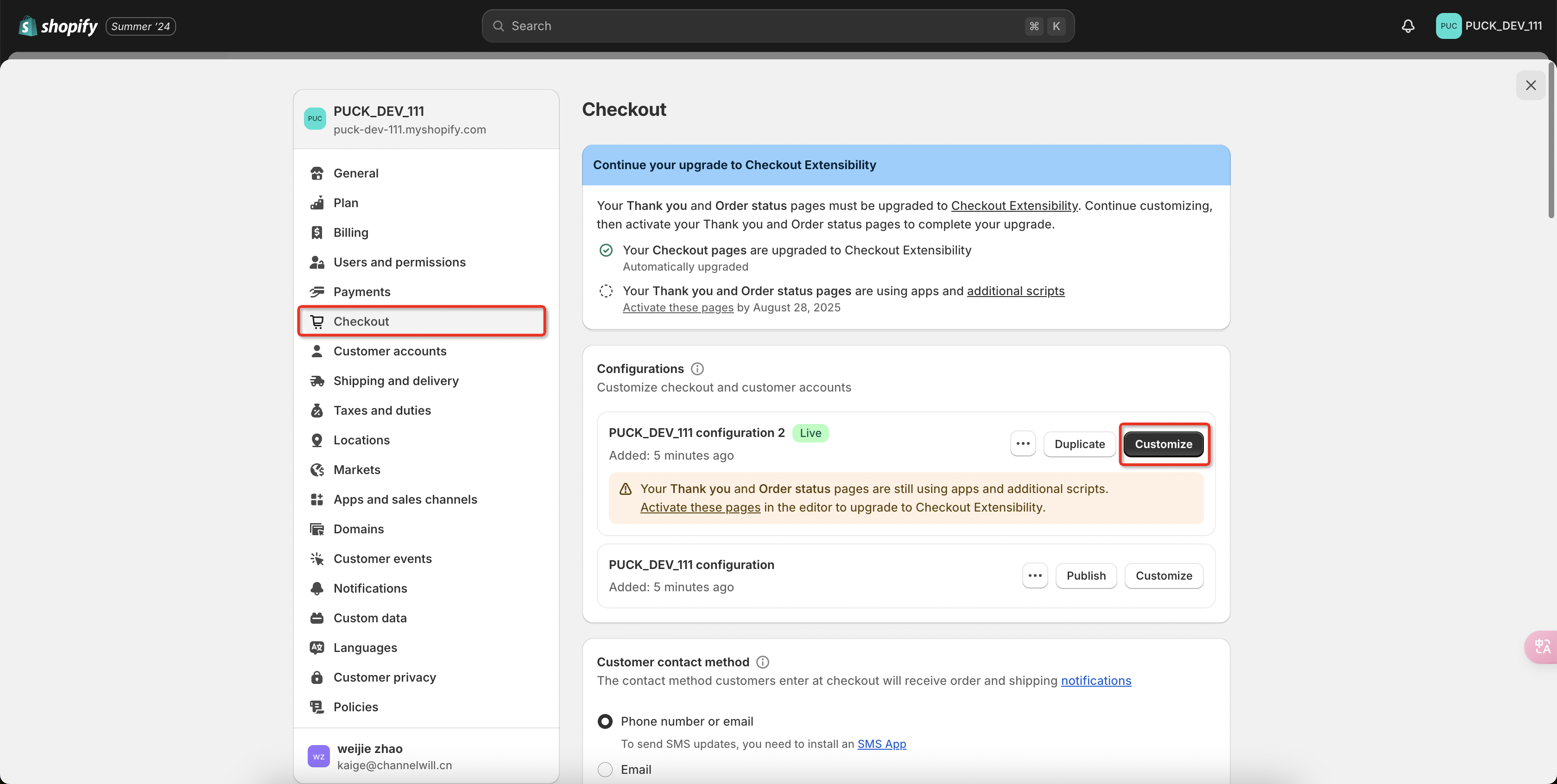
Open Settings > Checkout > Click Customize
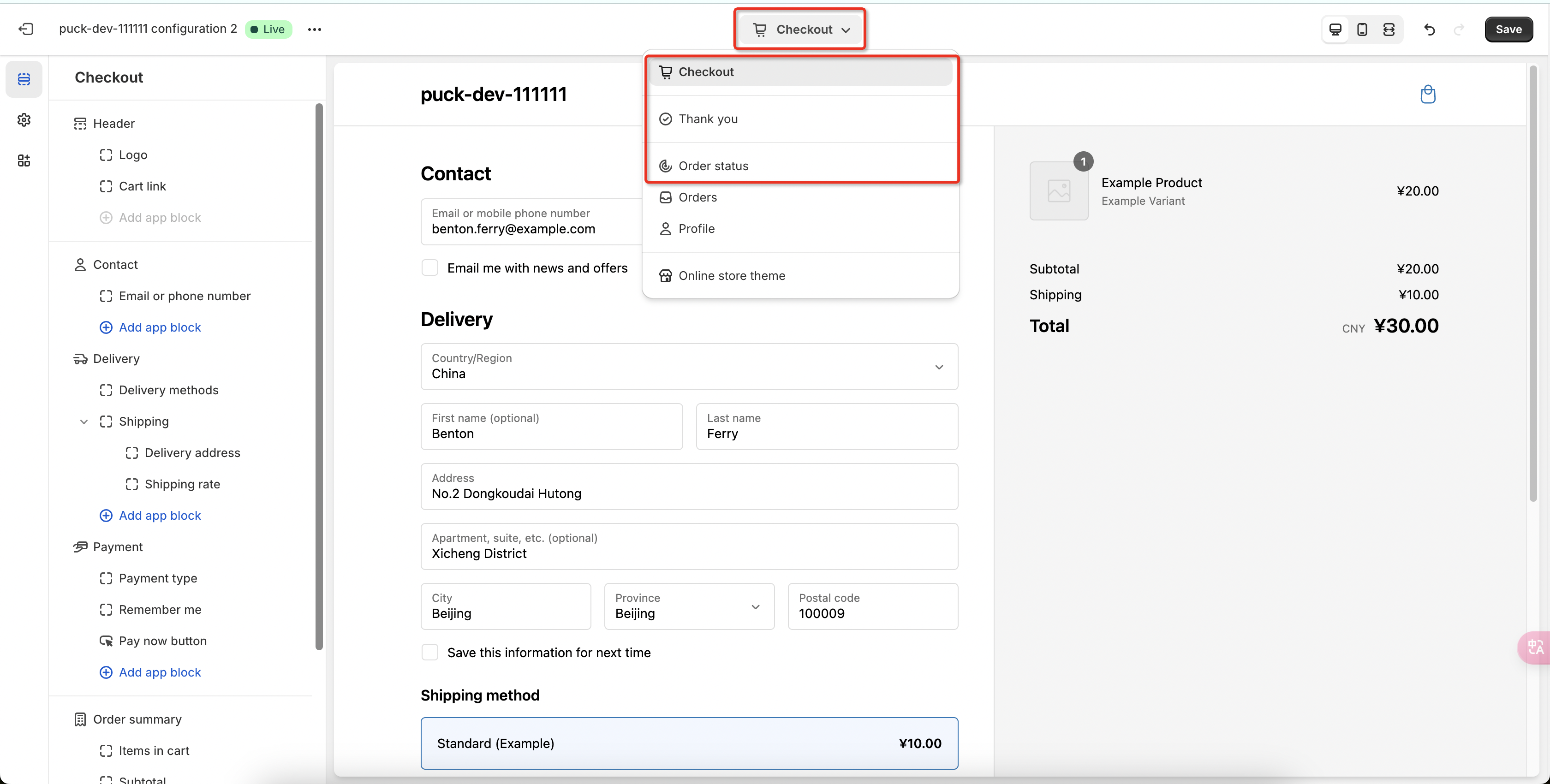
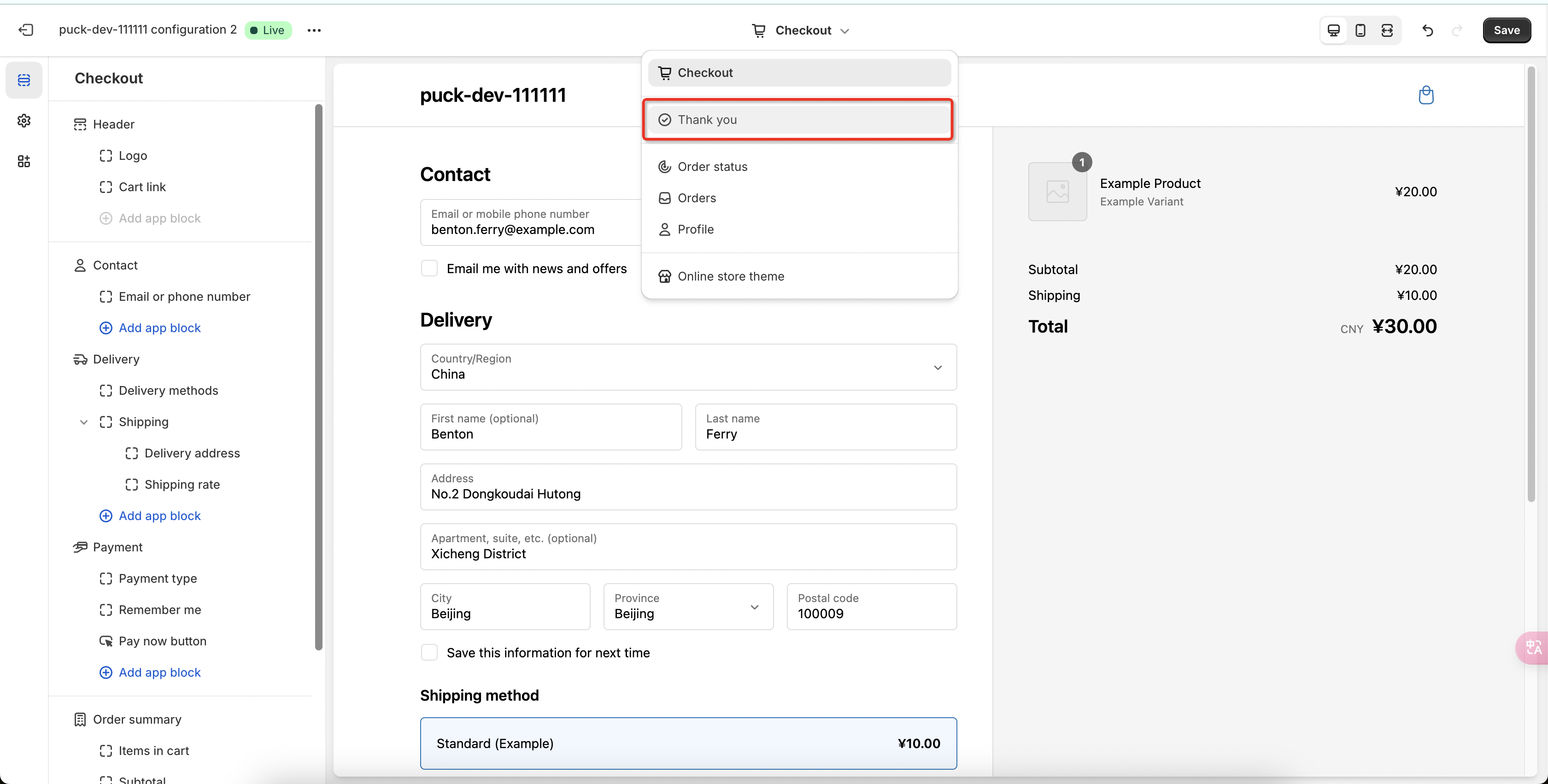
Note: Switch to the corresponding page at the top. Activate first to use customization.
Adding App Blocks to Thank You Page
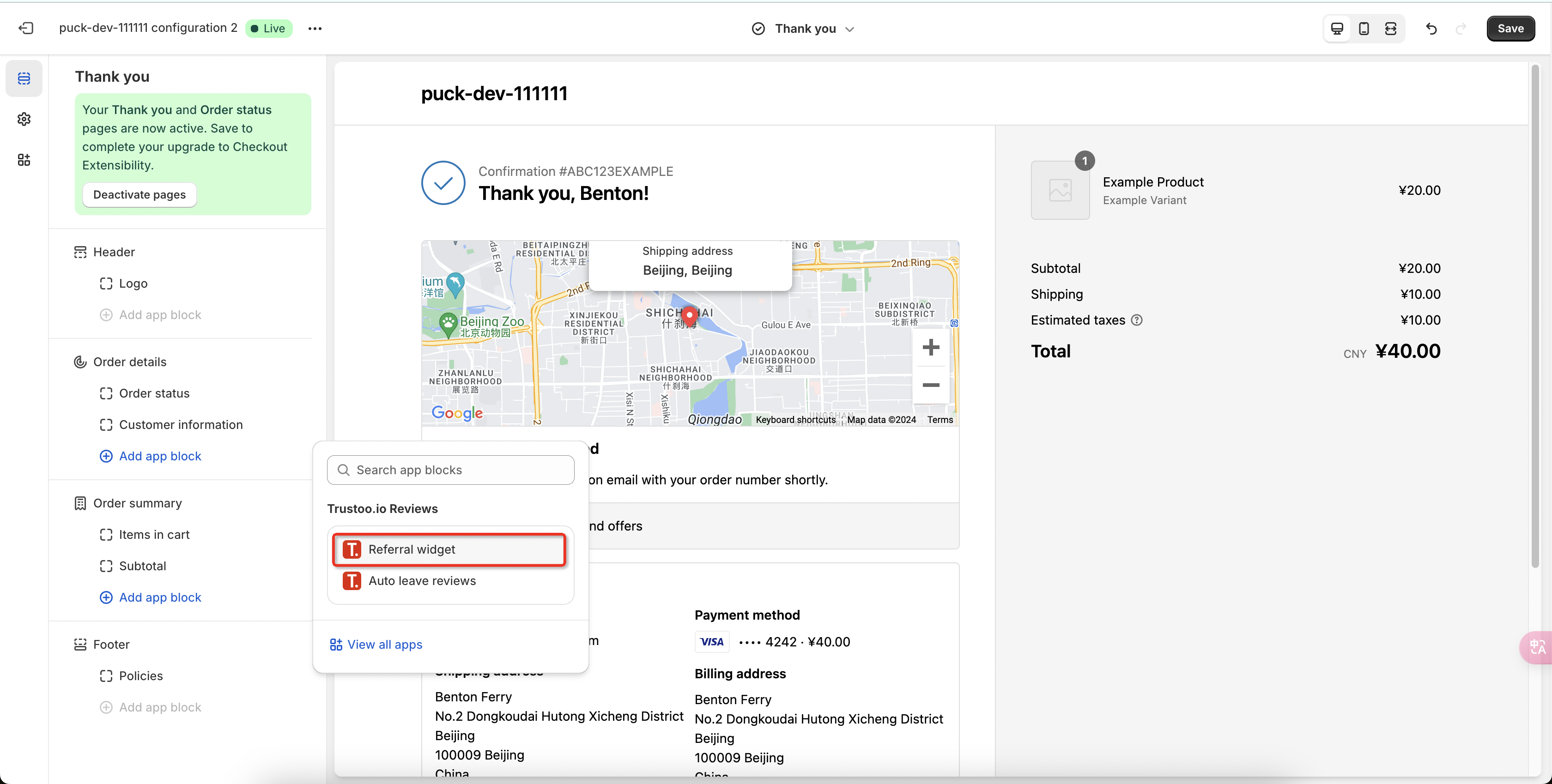
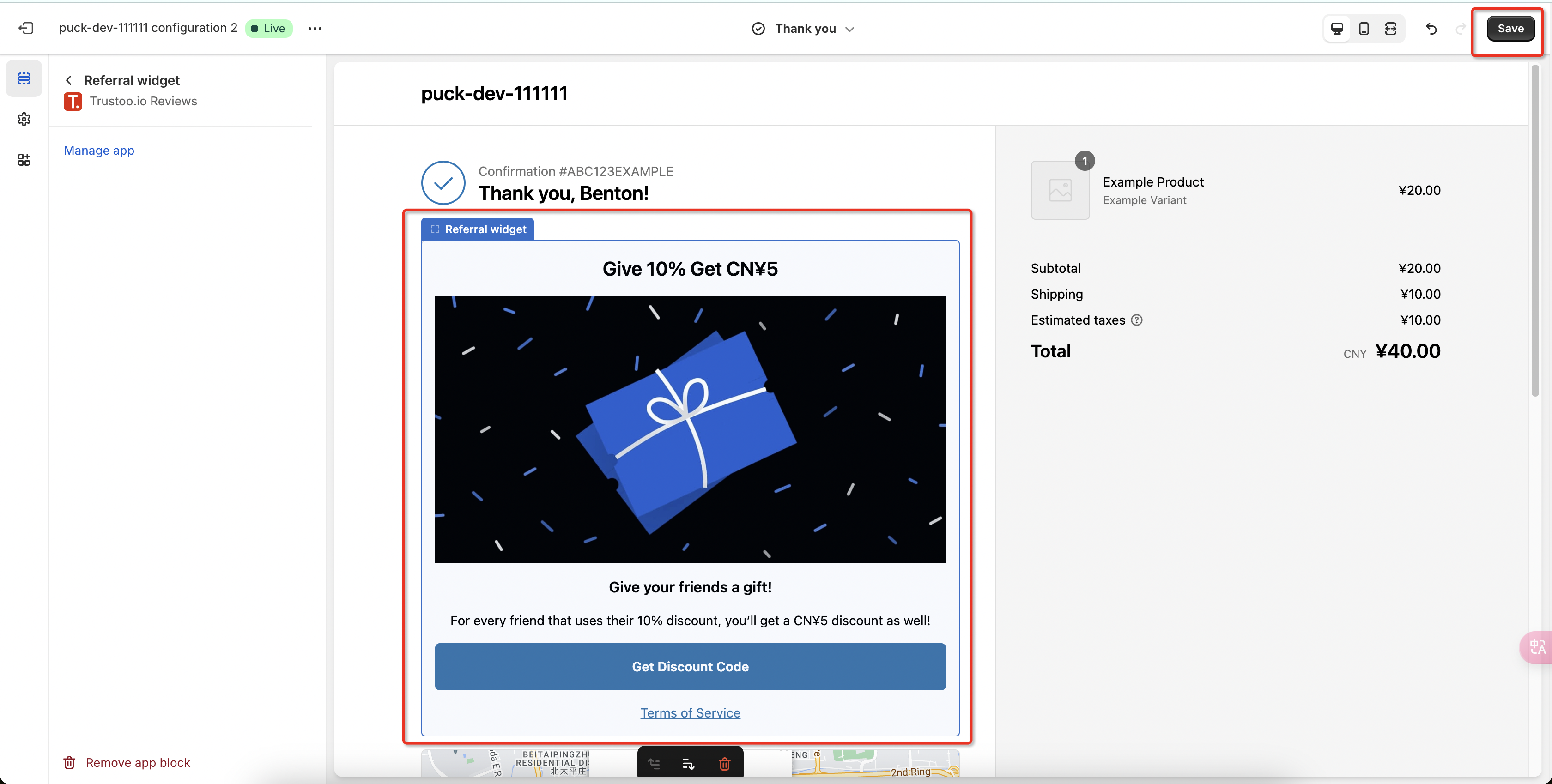
1. Referrals Widget
Step 1: Add Referrals Block
- Navigate to theme customization
- Add the Referrals block
Step 2: Save Changes
- Click Save in the upper right corner
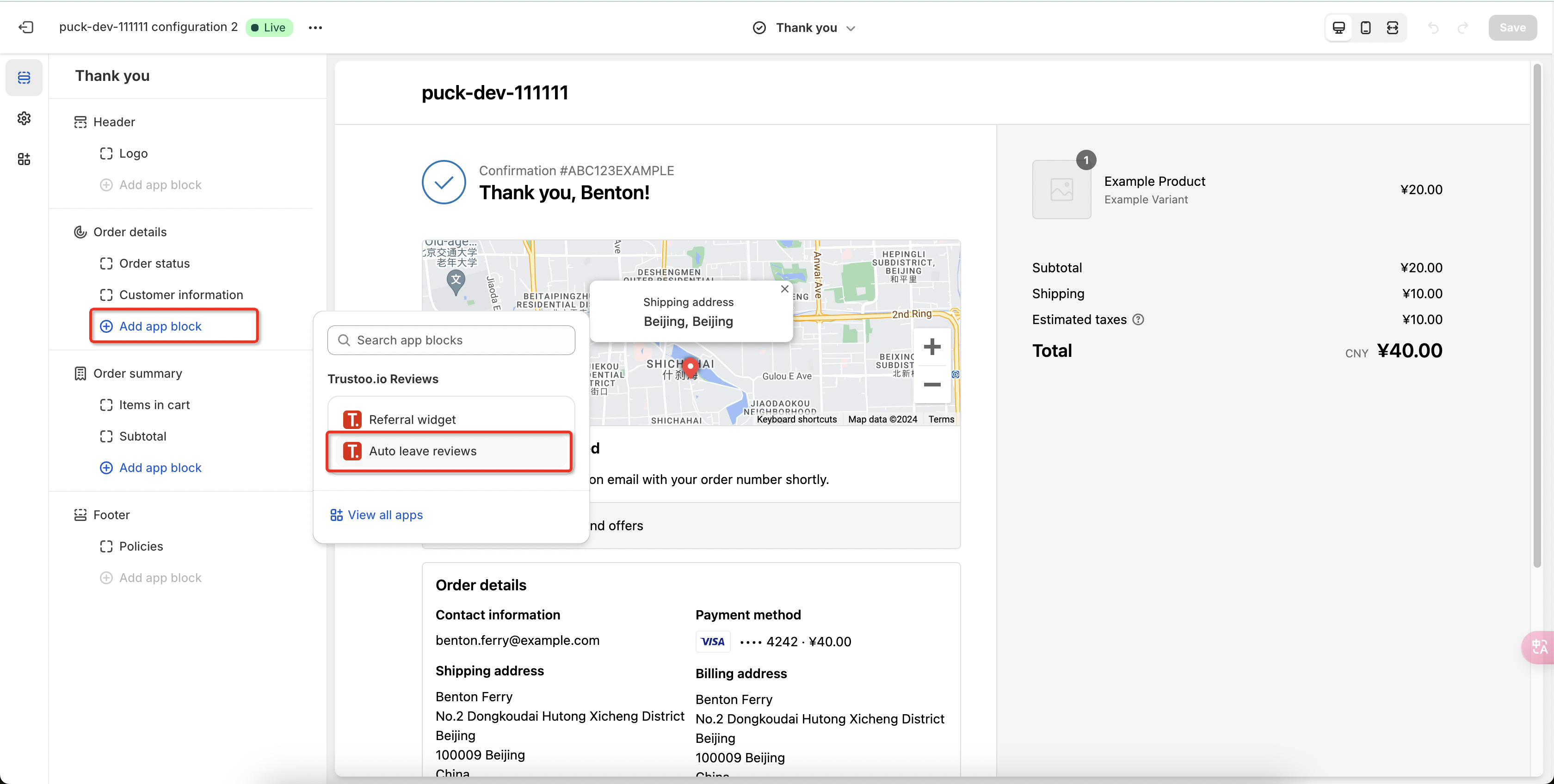
2. Auto Leave Reviews Widget
Step 1: Add Auto Leave Reviews Block
- Navigate to theme customization
- Add the Auto Leave Reviews block
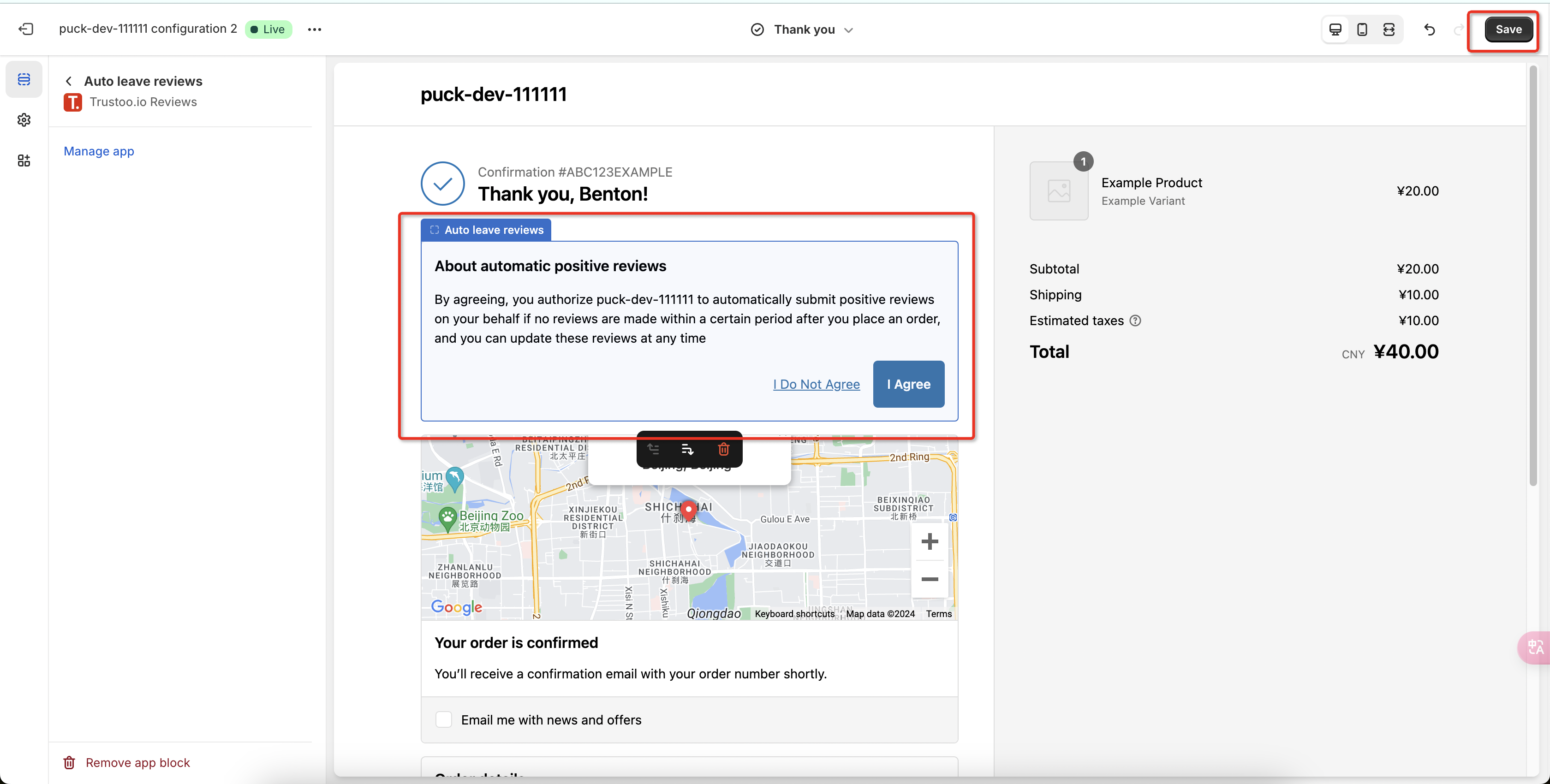
Step 2: Save Changes
- Click Save in the upper right corner
Troubleshooting
If you encounter any problems during the setup, contact our online support staff through the chat in the lower right corner of the app.