Collect more reviews by adding Trustoo widget into Shopify Customer accounts
Overview
We're excited to introduce Accounts Page Reviews - a powerful new feature that makes it easy for customers to write reviews directly from their order pages, helping you collect more feedback naturally.
Why This Feature Matters for Your Business
Increase Review Collection
- Significantly More Reviews: By placing review options directly where customers are already engaged with their orders, you'll see much higher review submission rates
- Capture Reviews at the Perfect Moment: Customers review right after viewing their order details when the experience is fresh in their mind
- Eliminate Friction: No more directing customers to external links or separate pages - they can review instantly
Boost Customer Satisfaction
- Seamless Experience: Reviews become a natural part of the customer journey, not an interruption
- Increased Engagement: Customers feel more connected to your brand when they can easily share feedback
- Better Retention: The "My Reviews" page keeps customers coming back to your store
Long-term Business Impact
- Better SEO: Fresh, consistent review content helps your search rankings
- Consistent Review Flow: Maintain steady review collection without relying solely on email campaigns
- Quality Feedback: Reviews written in context of order details tend to be more detailed and helpful
How to Enable
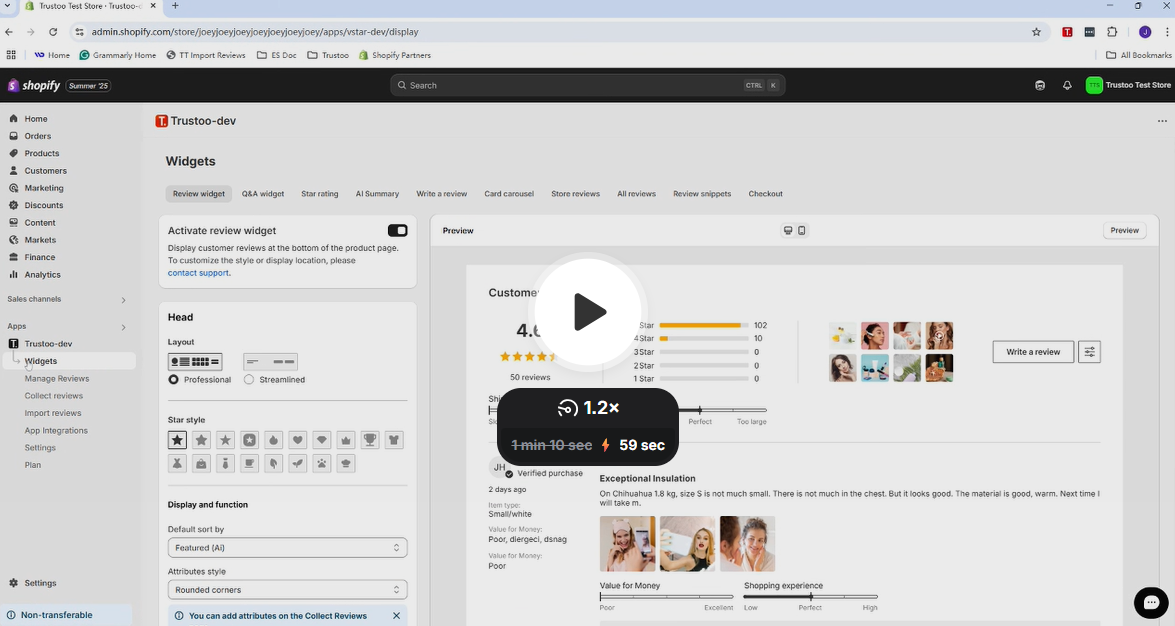
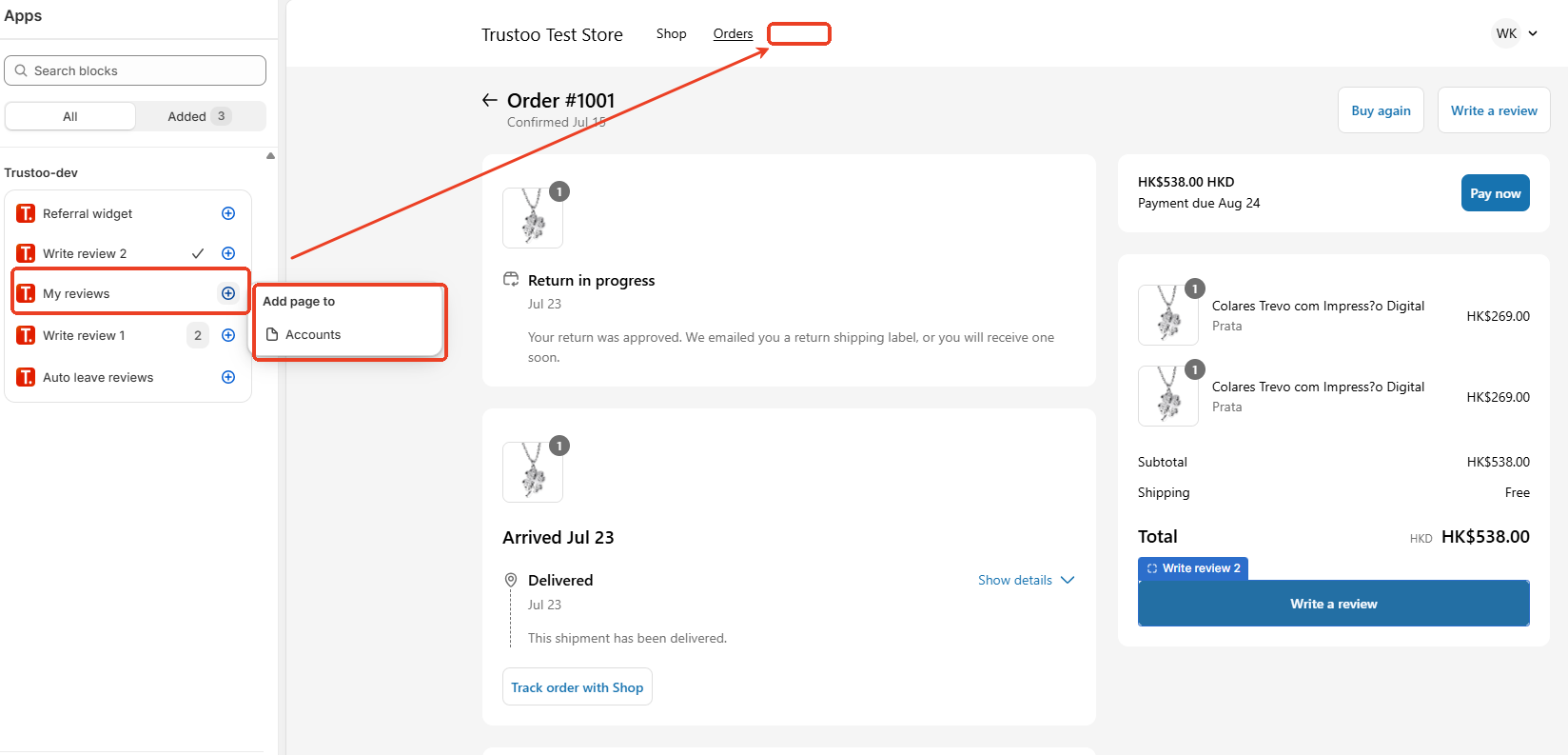
- Go to Write a review → Accounts page option
- Click "Go to settings" to access the Order status page theme editor
- Configure your preferred settings
📺 Watch Our Step-by-Step Setup Tutorial:
Where Customers Can Write Reviews
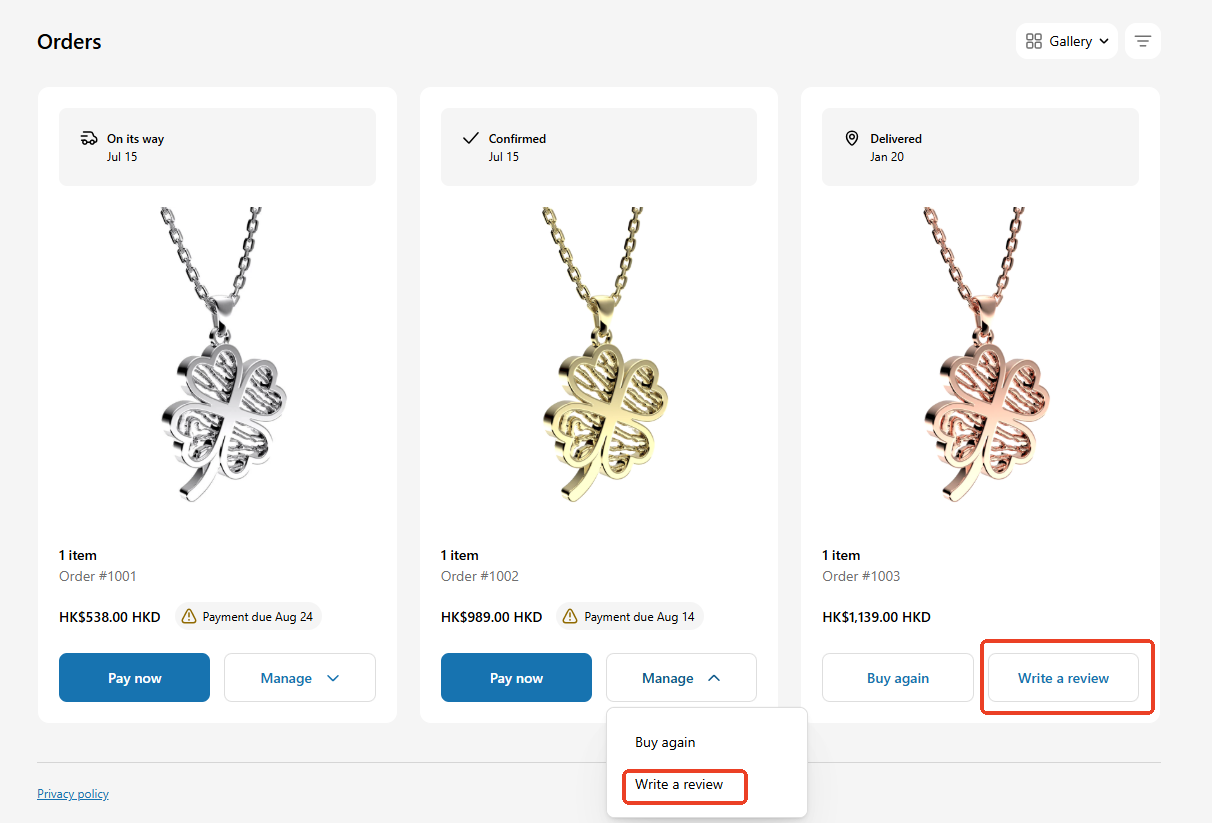
- Order Page: Customers can review products directly from their individual order details in their account
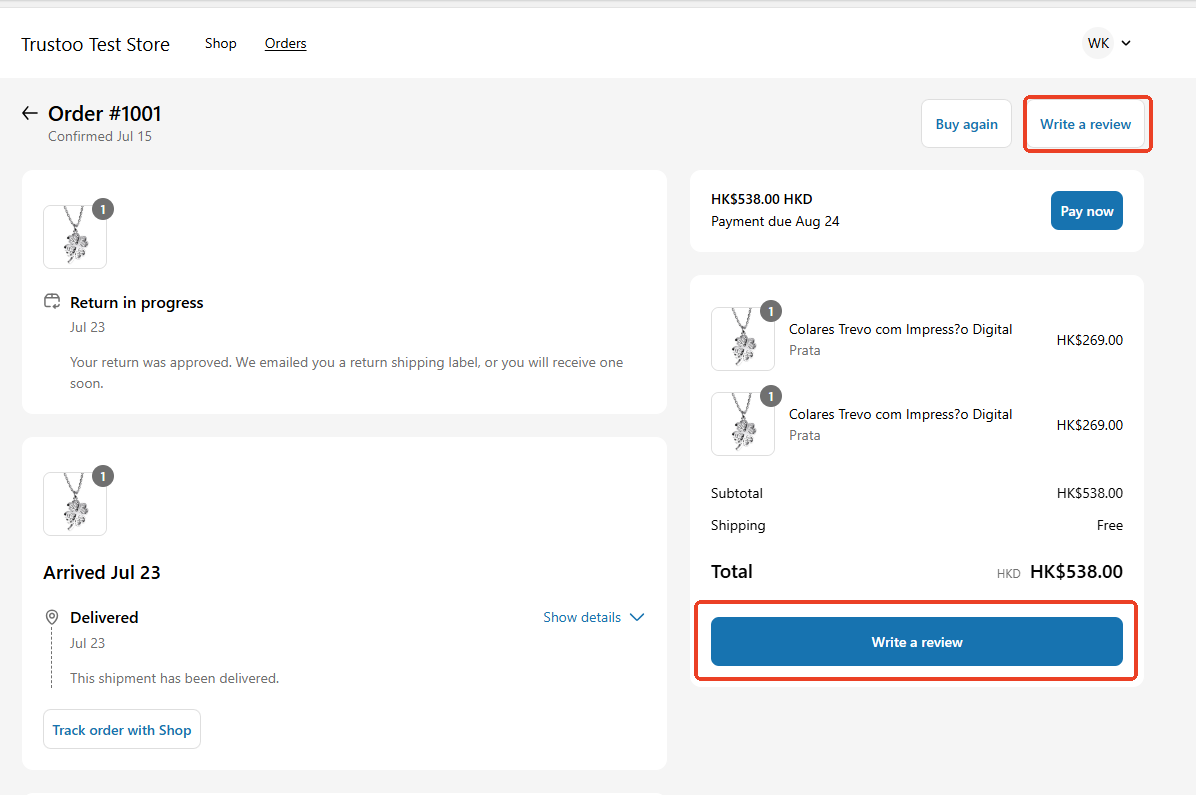
- Order Status Page: Reviews can be written from the order confirmation/tracking page
How it looks on the Orders Page
How it looks on the Order status page
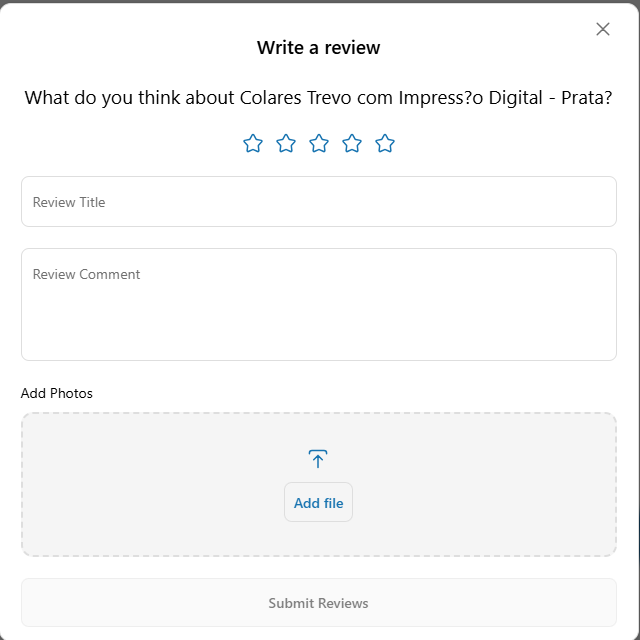
When customers click the Write a review button, a pop-up form will appear, allowing them to submit their review for the purchased product.
My Reviews Page (Optional)
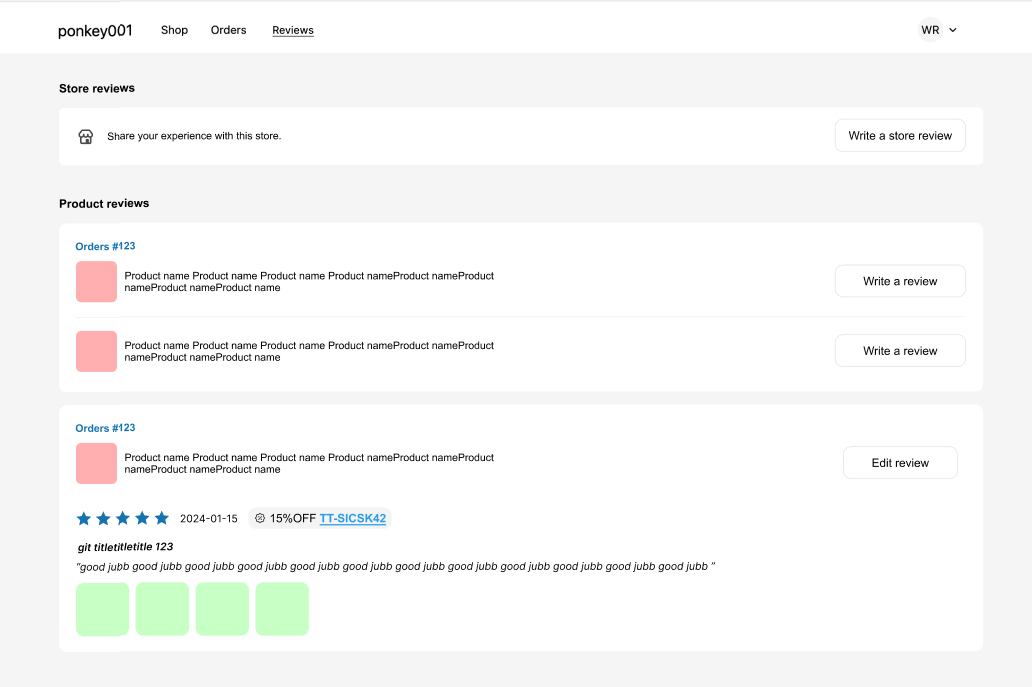
Enable this additional feature to give customers a dedicated page where they can:
- View all their previous reviews
- See orders they haven't reviewed yet
- Easily manage their review history
This creates a complete review management experience for your customers.
If customers already left some reviews, here's how it looks:
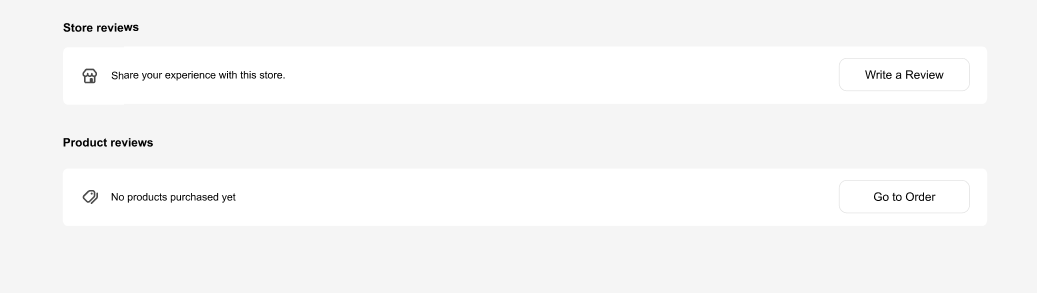
If customers do not leave any reviews yet, this is how it looks:
Best Practices
Maximizing Review Collection
- Enable Both Options: Consider enabling both order page and order status page options to give customers multiple opportunities
- Enable My Reviews Page: This encourages customers to return and review additional purchases
- Monitor Performance: Track which placement generates more reviews and optimize accordingly
Troubleshooting
-
Review options not showing: Check that "Accounts page" is enabled in settings and theme editor is properly configured.
-
Reviews not appearing: Check your review approval settings - reviews might be pending approval.
-
Styling issues: Account page review buttons follow Shopify's standard design guidelines and cannot be customized for consistency and compliance.