Review Language Settings Guide
1. Widget Language Configuration
Customize Review Language in Widget
- Open the review widget settings
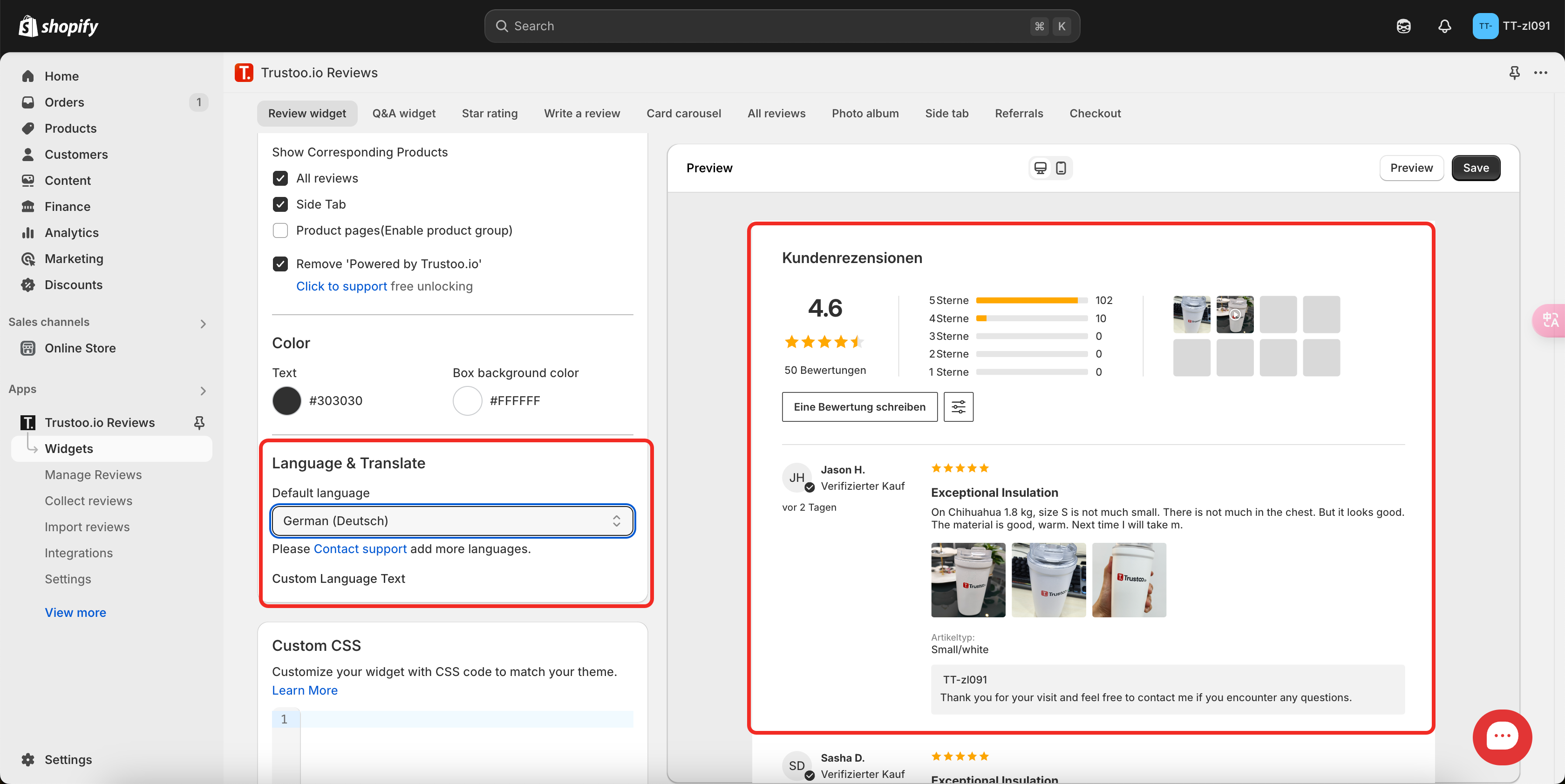
- At the bottom of each widget, click "Customize Text" to modify language settings

Note: For stores with multiple languages, you can switch and customize text for each specific language.
2. Language Settings in App
Navigate to Settings > Language to access advanced language options:
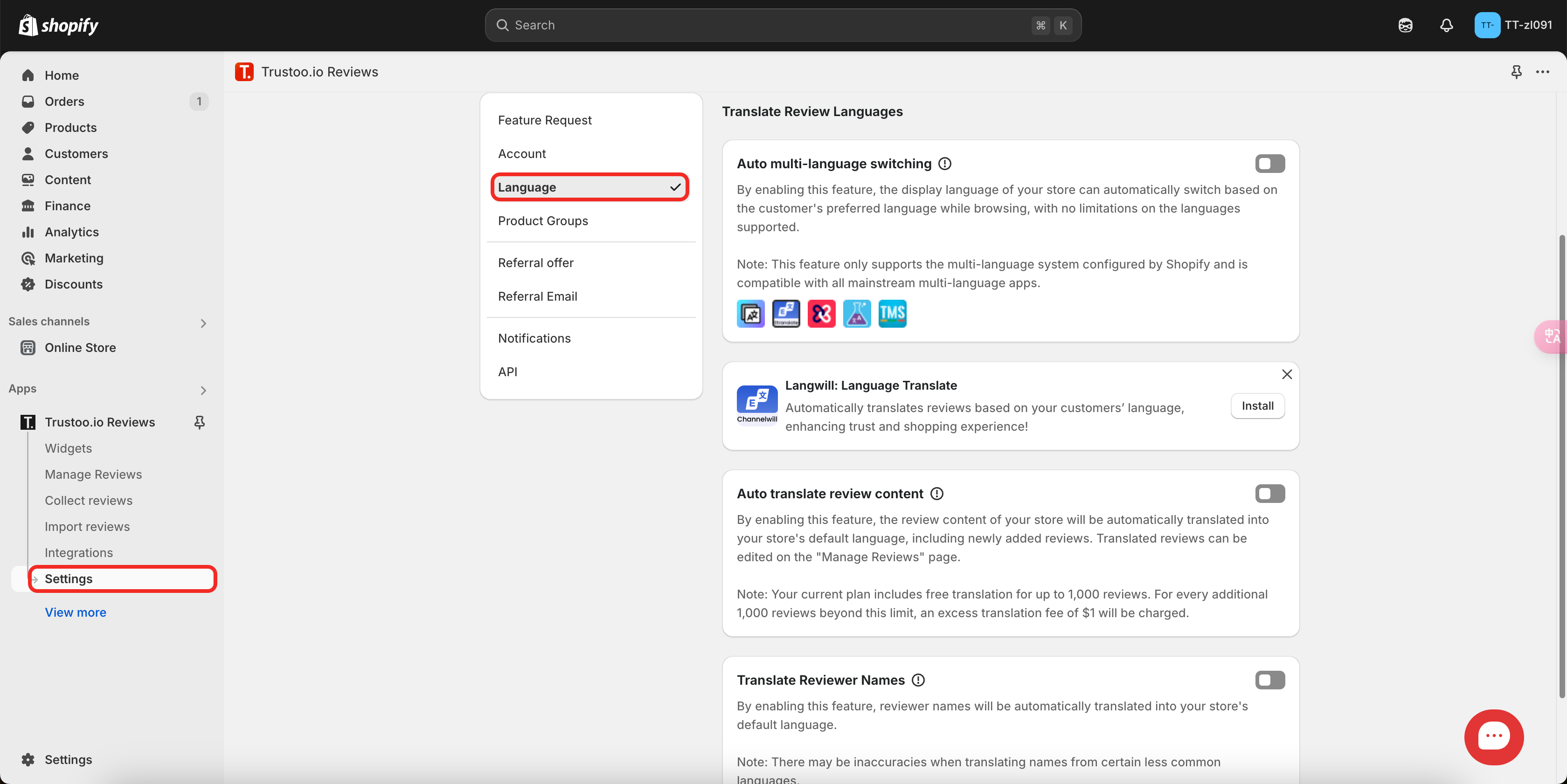
Multilingual Features
Automatic Multilingual Support
- Automatically switches widget language based on the user's current browsing language
- Ideal for stores serving multiple language markets
Translation Functionality
- Translates existing reviews into your store's current language
- Automatic translation of new reviews upon creation
- Option to translate reviewer names
Integrations and Compatibility
We are compatible with Shopify Translate and other leading translation apps:
Recommended Translation Apps
-
Langwill:AI Language Translate
- Automatically translates reviews based on your customers’ language, enhancing trust and shopping experience!
-
- Official Shopify translation tool
-
Transcy: AI Language Translate
- AI-powered translation services
-
- Advanced AI translation capabilities
-
- Comprehensive website translation platform
Additional Resources
For comprehensive guidance on managing multiple languages in Shopify, please refer to: Shopify Managing Languages
Best Practices
- Verify translations for accuracy
- Consider cultural nuances in translations
- Regularly review and update language settings
- Ensure consistent user experience across languages
- Test translations across different widgets and pages