Product Group Settings Guide
Overview
What are Product Groups?
Product grouping allows you to share reviews between multiple similar or identical products across different Shopify product pages. This feature is especially useful for:
- Products with minor variations
- Similar product lines
- Products sold in different colors or sizes
How to Create a Product Group
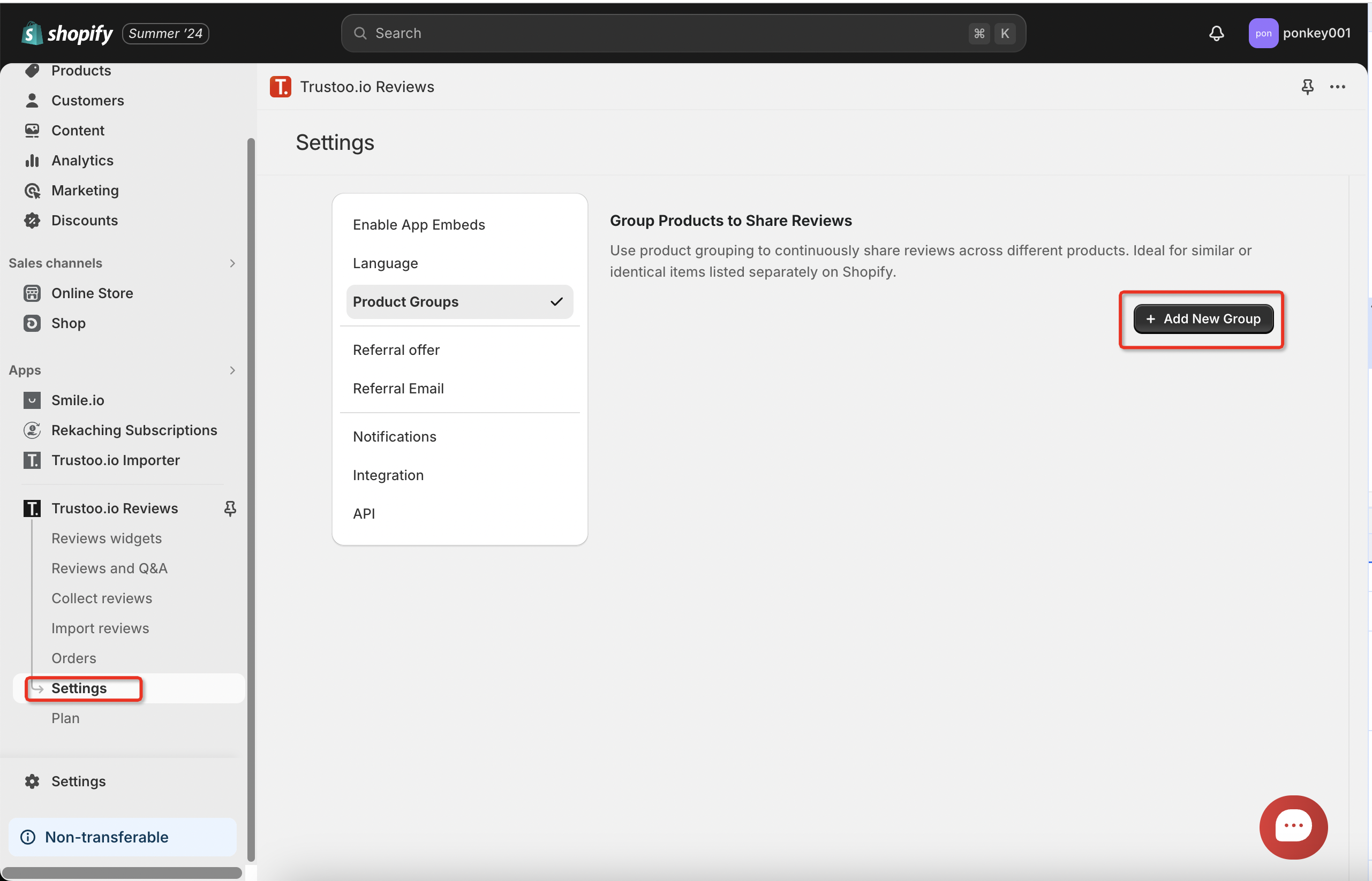
Step 1: Access Product Groups Settings
Navigate to Settings >> Product Groups
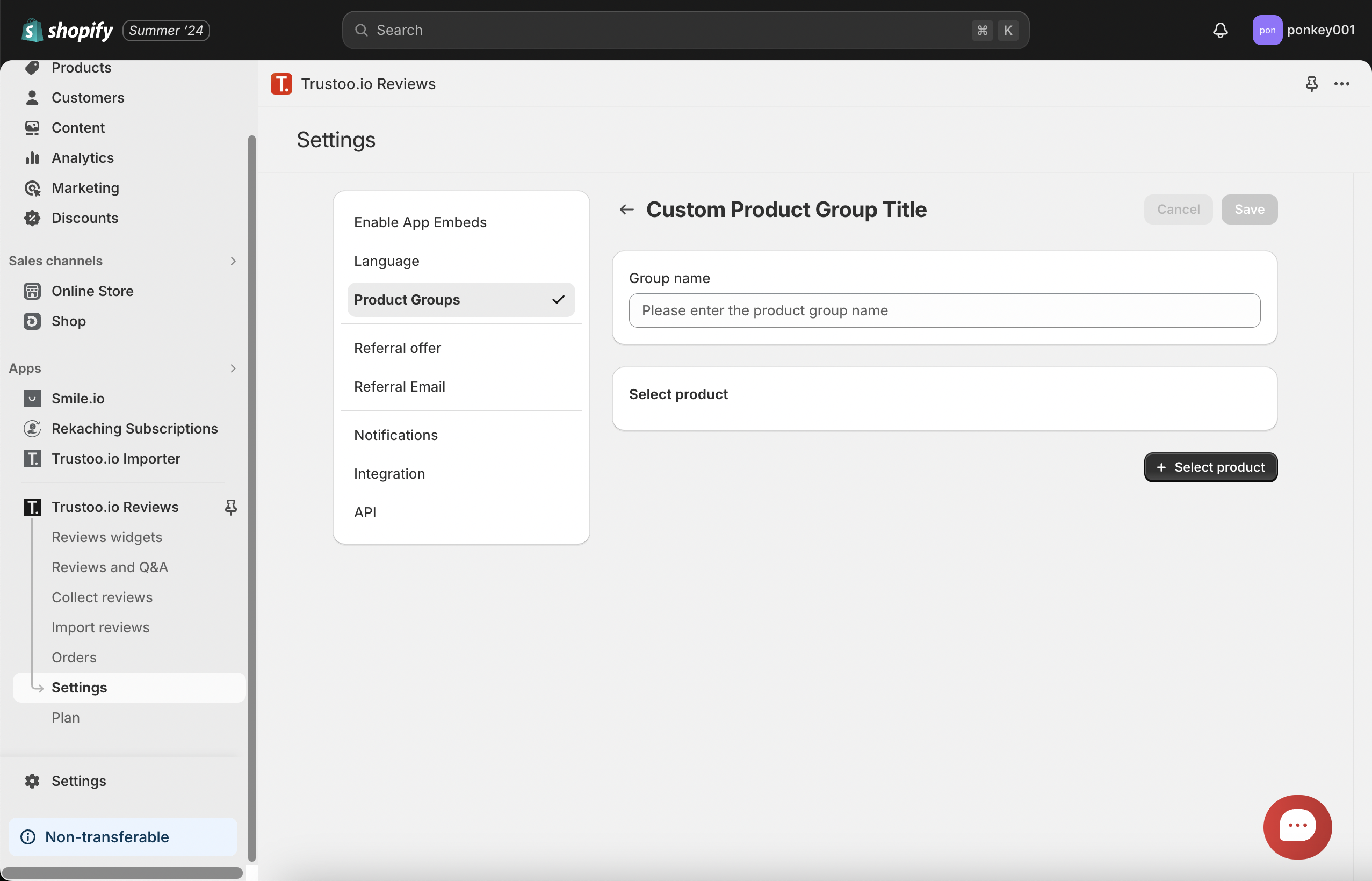
Step 2: Set Group Name
Create a descriptive name for your product group
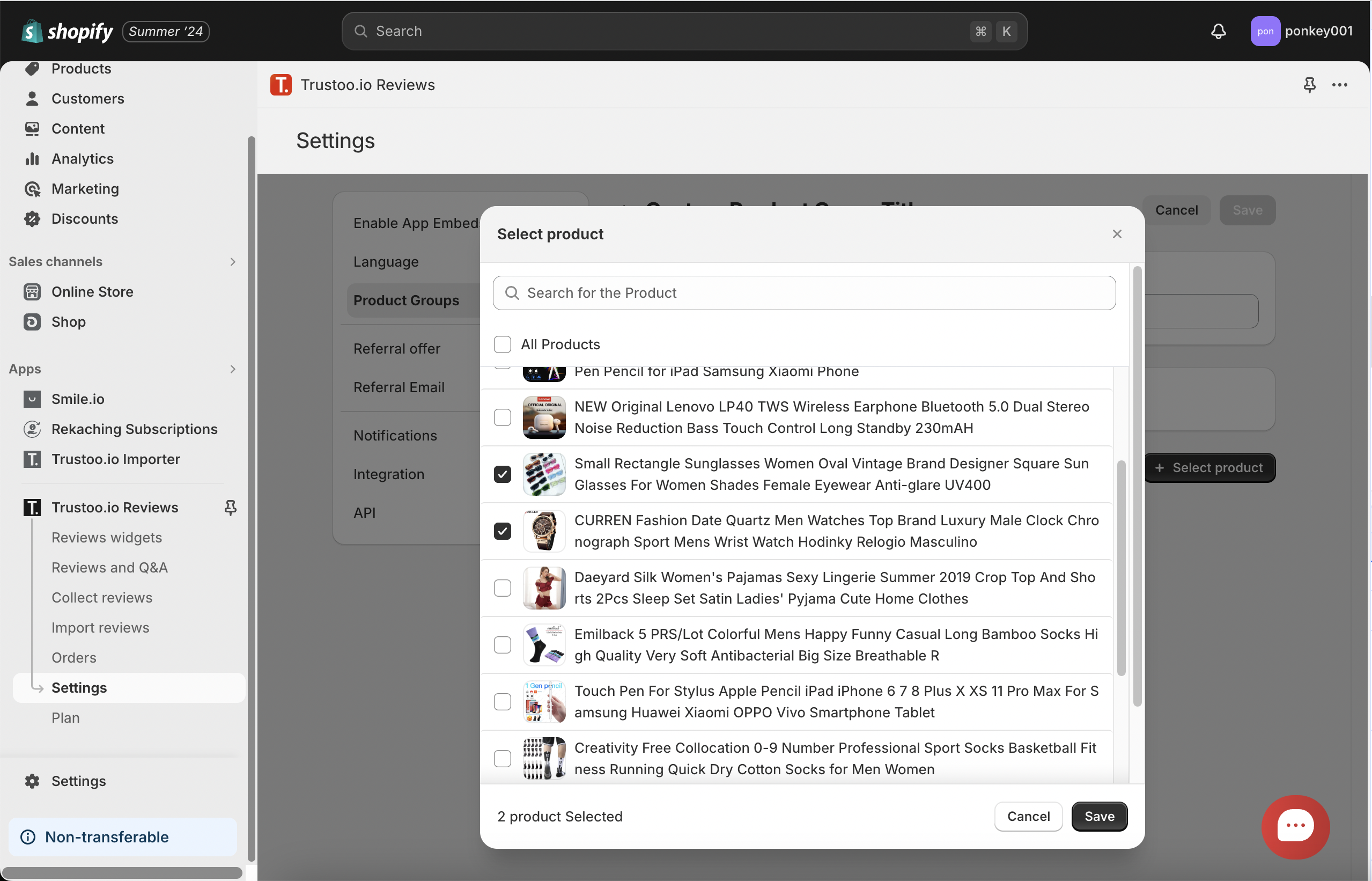
Step 3: Add Products
- Add at least 2 products to the group
- Ensure the products are similar or related
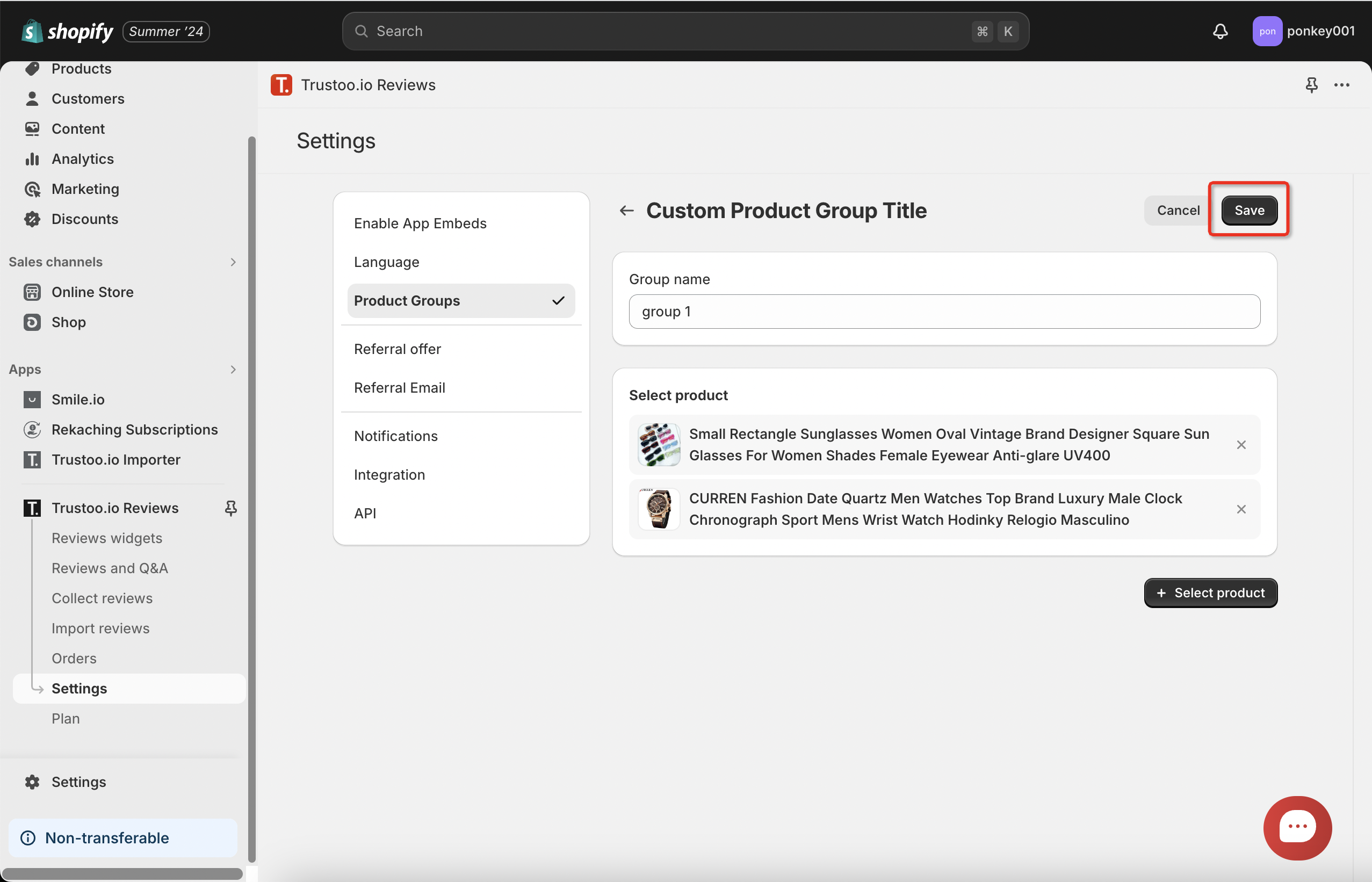
Step 4: Save Configuration
- Review your selections
- Click Save to confirm
Result
After configuration, the selected products will display the same reviews in your store

Best Practices
- Group only genuinely similar products
- Ensure reviews are relevant to all grouped products
- Regularly review and update product groups
- Consider customer perspective when sharing reviews
Use Cases
- Color variations of the same product
- Different sizes of a similar item
- Product bundles or sets
- Variations with minimal functional differences
Considerations
- Reviews will be shared across all products in the group
- Ensures a comprehensive review collection
- Helps potential customers make informed decisions
Troubleshooting
- Ensure all products in the group are similar
- Check that the group name is clear and descriptive
- Verify that reviews make sense across all grouped products
Support
If you encounter any issues or have questions about product grouping, contact our customer support team.