Importing Reviews from Amazon
Import Method Overview
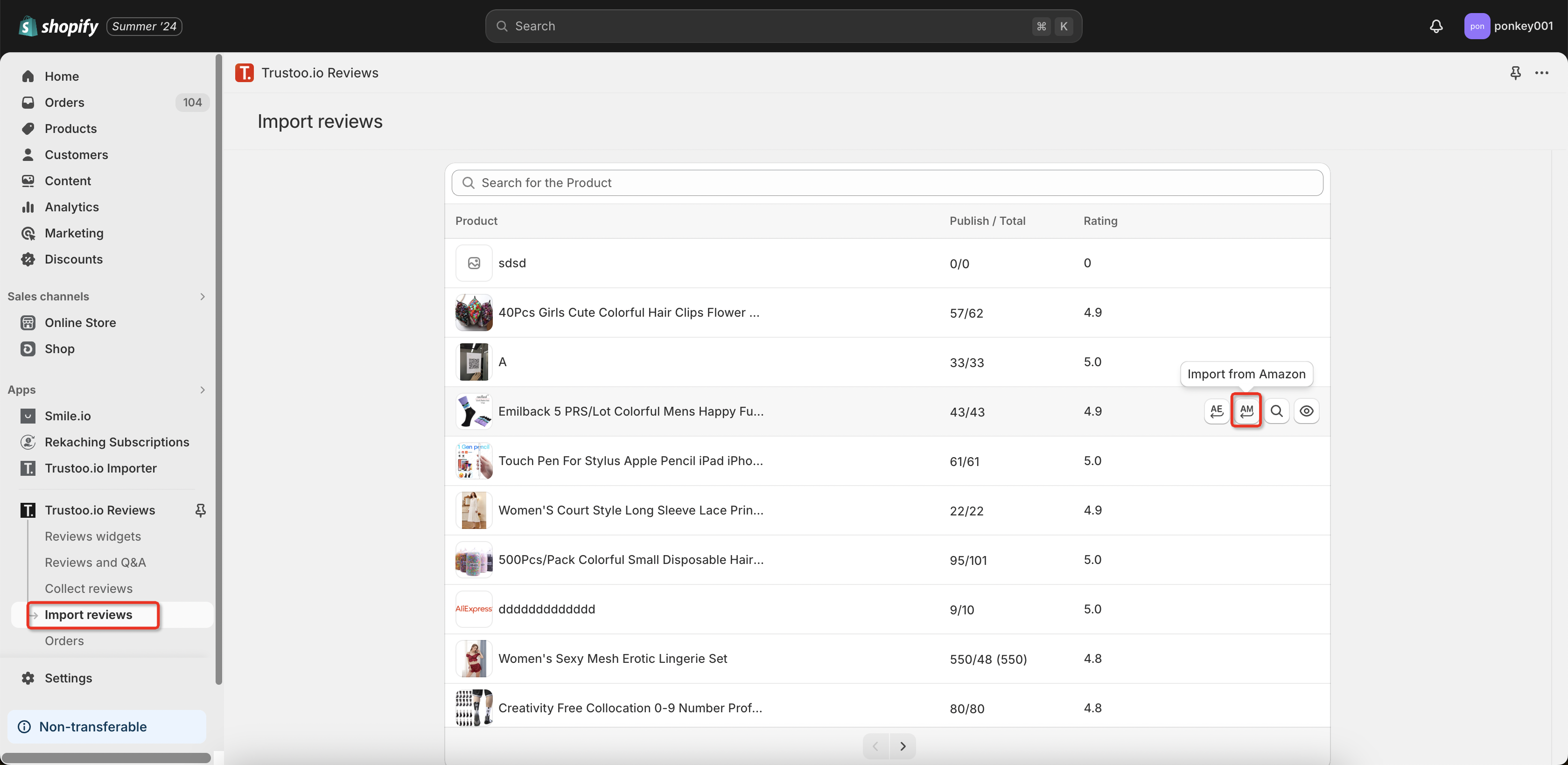
Important: Due to Amazon's login verification, you can only use browser bookmarks to import reviews.
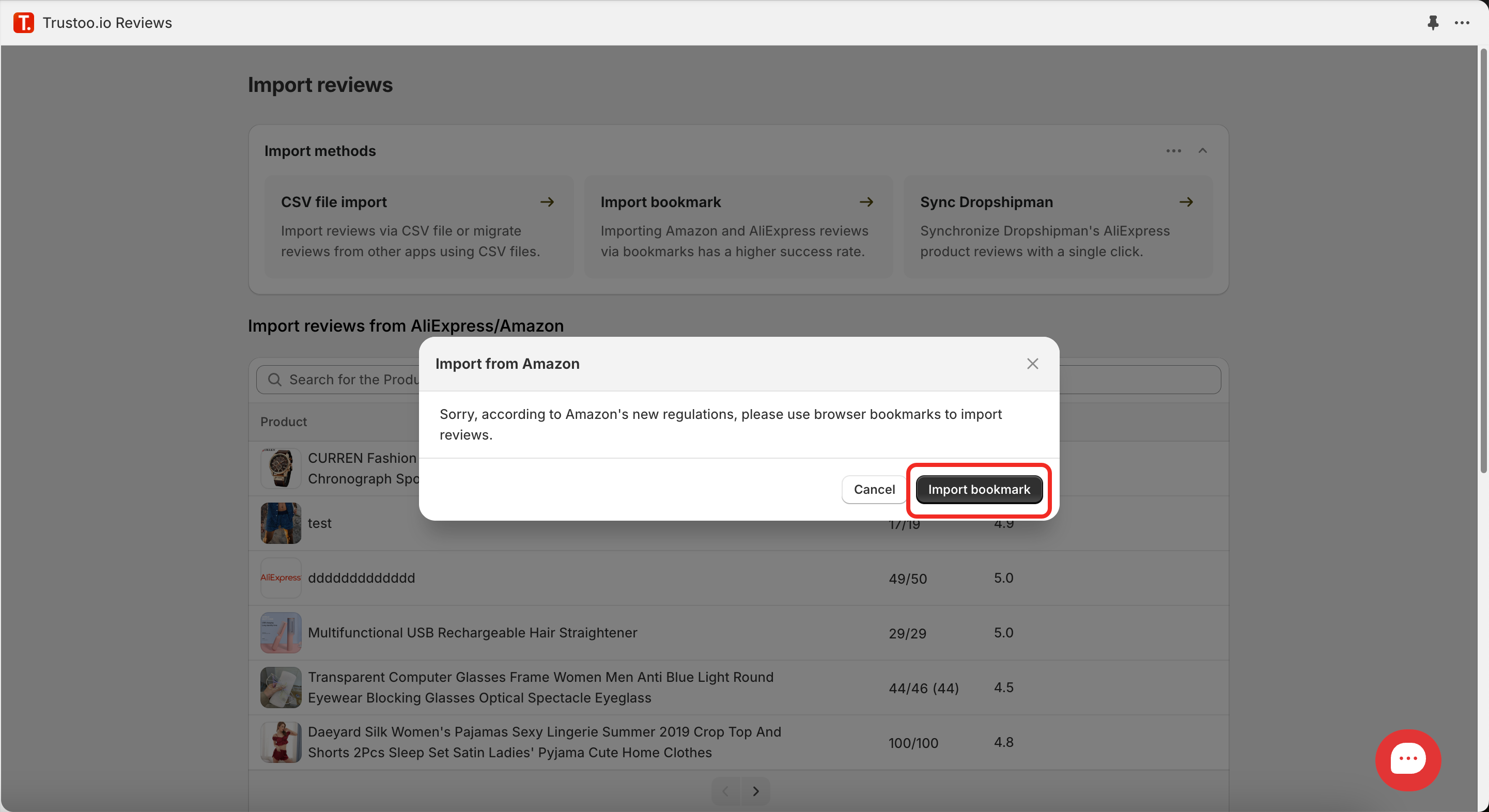
Preparing Your Browser
Enable Bookmarks Bar
For Chrome, Safari, and Opera:
- Windows: Press
Ctrl + Shift + B - macOS: Press
Cmd + Shift + B
Alternative Chrome Method:
- Open Chrome
- Click three dots at top right
- Navigate to Bookmarks > Show Bookmarks Bar
For Firefox:
- Windows: Press
Ctrl + B - macOS: Press
Cmd + B
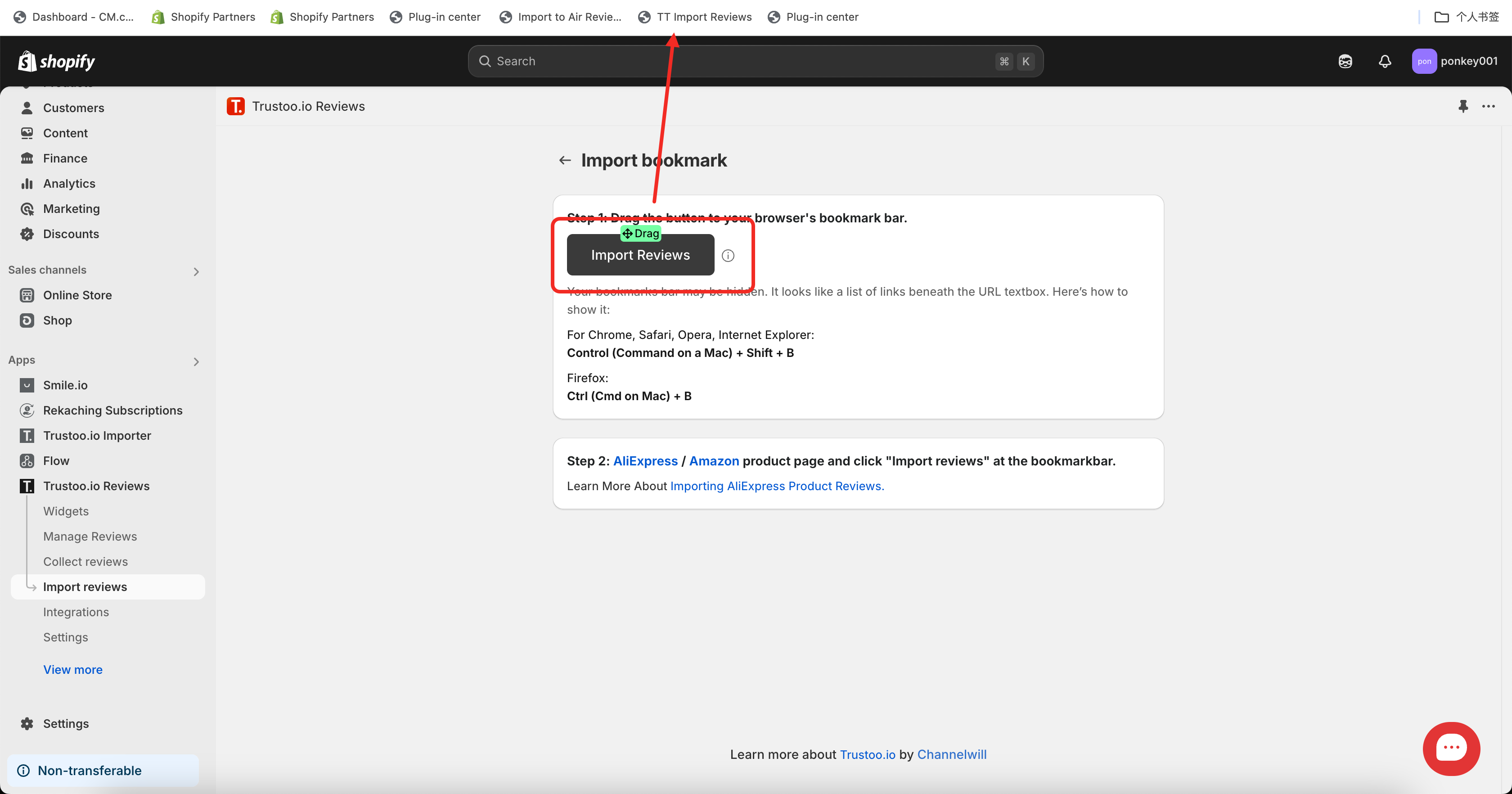
Adding "TT Import Reviews" Widget
- Go to Seal Reviews > Import reviews
- Drag the "Import reviews" button to your browser's bookmark bar
Import Process
Step 1: Prepare Product Page
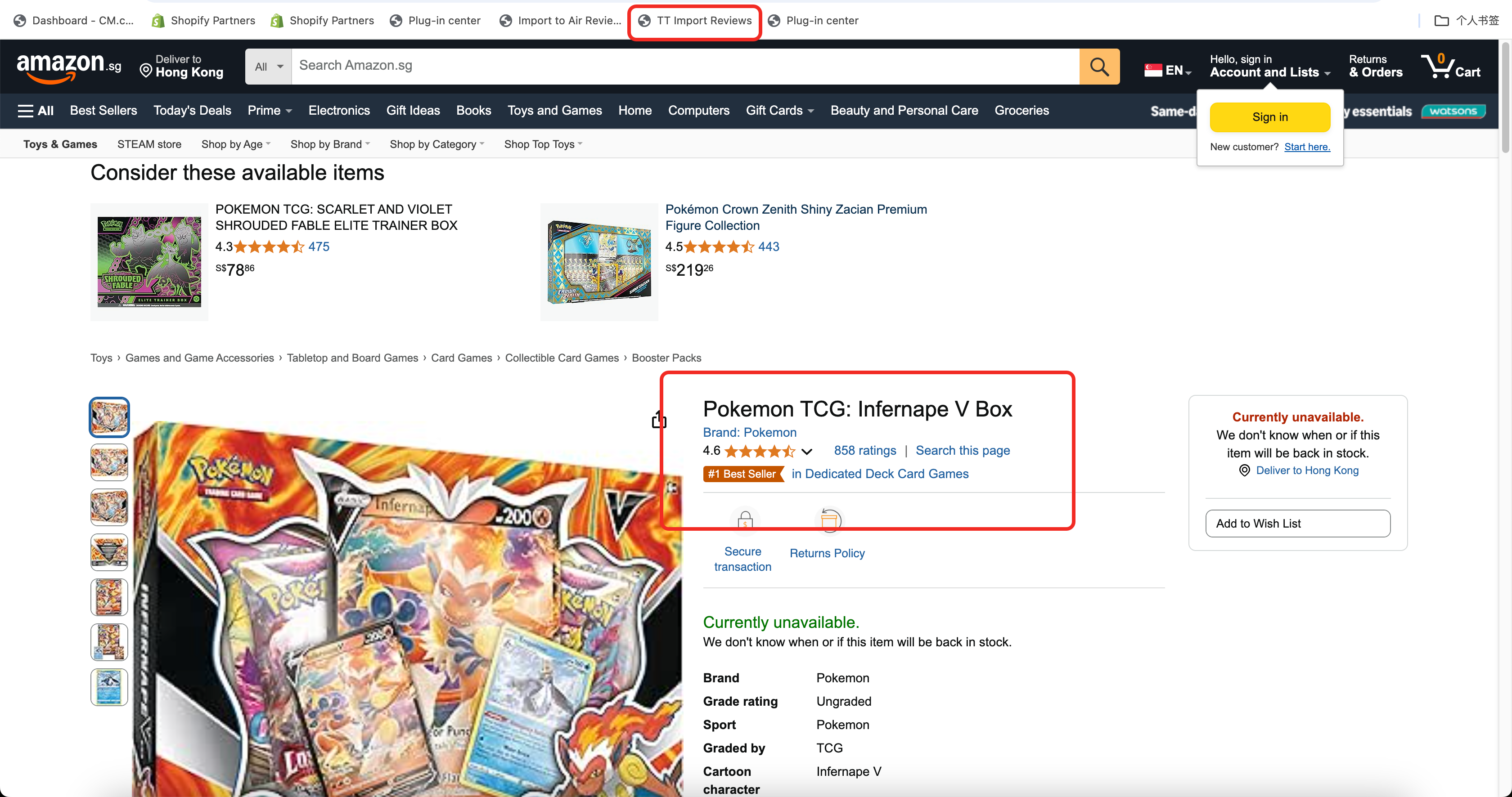
- Open the Amazon product page
- Confirm the page has reviews
Step 2: Initiate Import
- Click "TT Import Reviews" on the bookmark bar
Step 3: Confirm Selection
- Click OK in the popup window
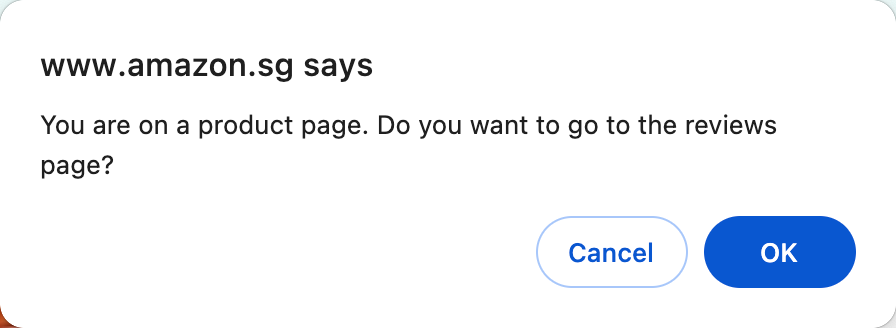
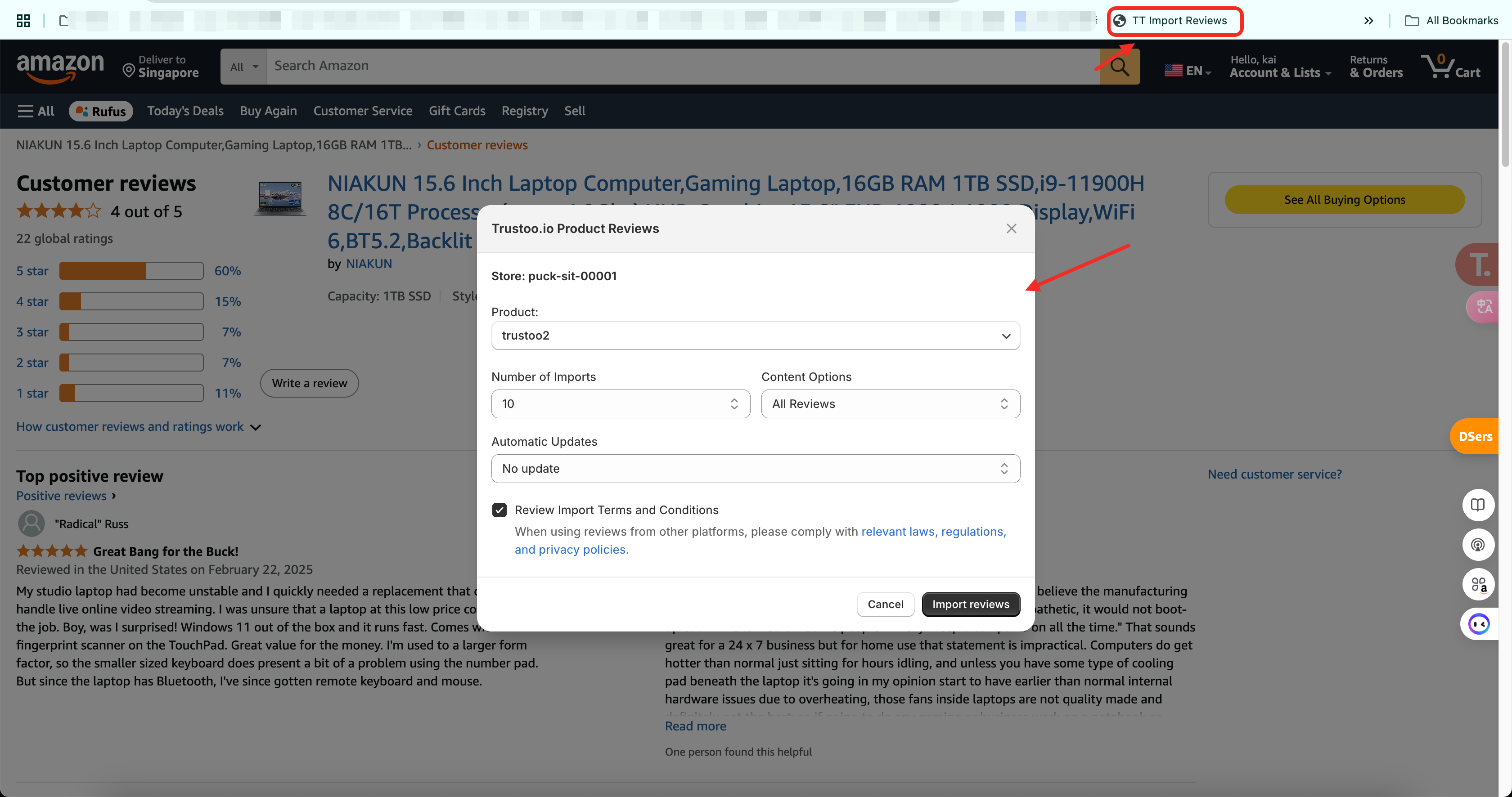
Step 4: Import Reviews
- Navigate to the review list page
- Click the "TT Import Reviews" bookmark again to import reviews
Important Considerations
- Always comply with local laws and policies when importing reviews
- Ensure you have the right to use the imported reviews
- Verify the authenticity and relevance of imported content
Support
If you encounter any problems during the import process, our customer service is available 24/7 to assist you.
Best Practices
- Double-check imported reviews for accuracy
- Ensure reviews are relevant to your specific product
- Periodically update and refresh imported reviews